
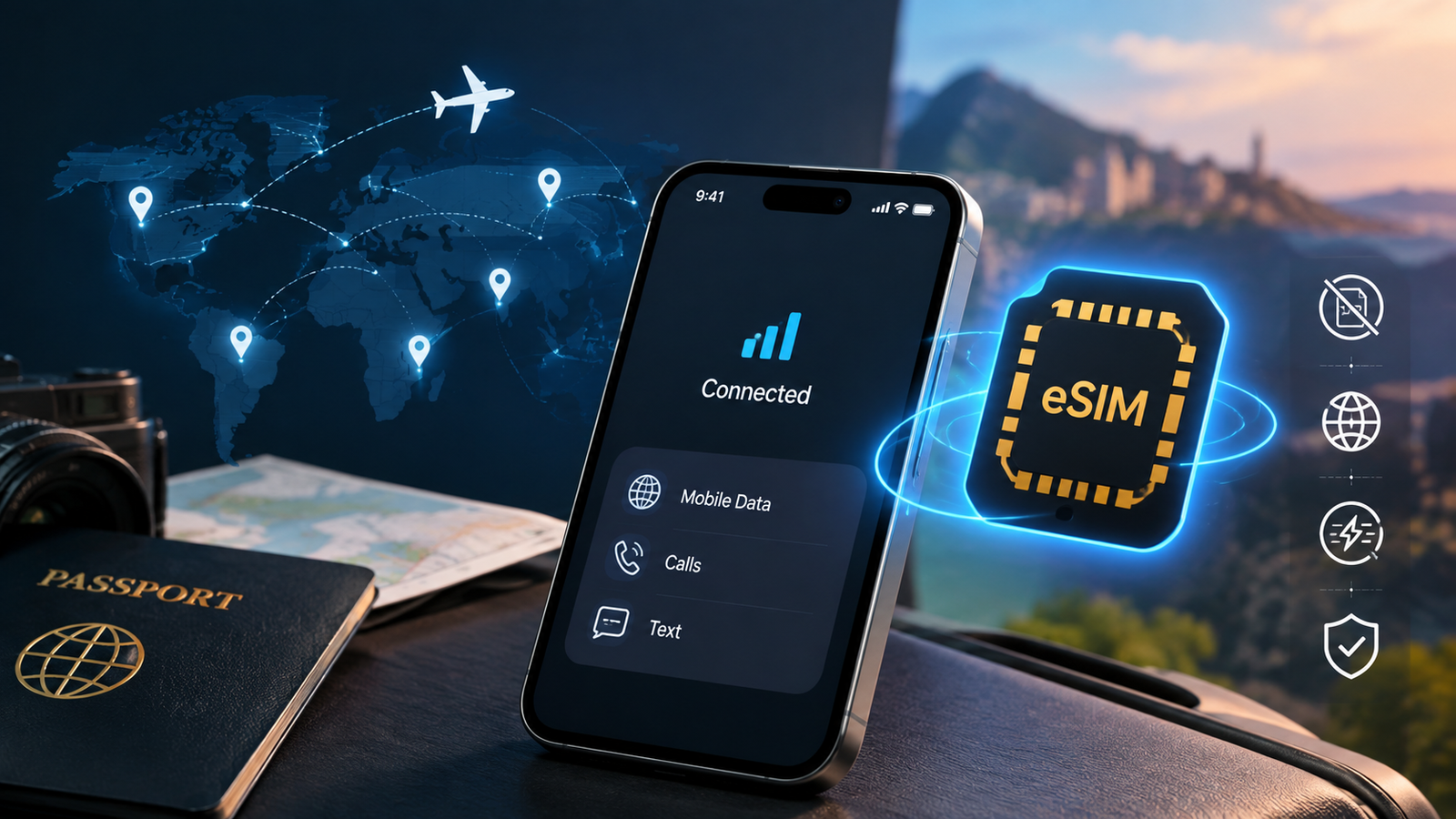
Ask ten people what’s inside their phone and most will picture a tiny plastic card tucked behind the case. But a growing number of phones don’t have that card at all — they run on something called an eSIM instead. If you’ve seen the term pop up while shopping for a new phone, switching carriers, or planning an international trip, and wondered what it actually means, you’re in the right place.
By the end of this guide, you’ll know exactly what an eSIM is, how it works behind the scenes, whether budget-friendly carriers like Simple Mobile support it, how to check if your own phone already has one, whether eSIM technology is actually safe to use, and how it stacks up against the traditional physical SIM (pSIM). No jargon overload — just plain, detailed answers you can act on today.
1. What Is a eSIM?
An eSIM (short for “embedded SIM”) is a digital SIM card that’s built directly into your phone’s hardware instead of being a removable plastic chip. The “e” stands for embedded, meaning the chip is soldered onto the device’s circuit board during manufacturing rather than inserted into a tray you can pop open with a paperclip.
Instead of a store clerk handing you a small plastic card to insert into your phone, your carrier sends your account information electronically — usually as a QR code — and your phone downloads it directly onto that built-in chip. Once that profile is installed, your phone connects to the network exactly the way it would with a traditional SIM: same call quality, same data speeds, same texting capability. The only thing that’s changed is how the information got there.
The Technology Behind the Chip
Under the hood, an eSIM relies on a small piece of hardware called an eUICC (embedded Universal Integrated Circuit Card). This chip is designed to be rewritable, meaning it can hold and swap between multiple carrier profiles without ever being physically removed from the device. Each profile contains the same kind of data a physical SIM would store — your phone number, network authentication keys, and carrier-specific settings — just encoded digitally rather than etched onto plastic.
There’s also a closely related but distinct technology called iSIM (integrated SIM), where the SIM function is built directly into the phone’s main processor rather than existing as a separate chip. iSIM is newer and less common, but it works on the same underlying principle: no removable card, no physical slot.
Why eSIMs Exist
Carriers and phone makers didn’t create eSIM technology just to be trendy. It solves a handful of real, practical problems that physical SIM cards have struggled with for years:
- No more waiting for a SIM card to arrive in the mail. Activating service can happen the moment you complete a sign-up, rather than after a shipping delay.
- More internal space for manufacturers. A physical SIM tray, along with the small mechanical ejection pinhole, takes up room that could otherwise go toward a bigger battery, additional camera hardware, or a slimmer overall design.
- Multiple phone plans on one device. This is a big deal for frequent travelers, people juggling a work and personal number, or anyone who wants a dedicated data plan for a trip without swapping hardware.
- Fewer lost or damaged SIM cards. There’s no tiny piece of plastic to misplace in a drawer, drop down a sink, or snap in half while trying to eject it with a paperclip.
- Better water and dust resistance. Removing the physical SIM tray means one less opening in the phone’s chassis, which helps manufacturers achieve higher IP water-resistance ratings.
- Simplified device manufacturing. Phone makers can build and ship the same hardware to multiple markets and simply configure carrier settings in software, rather than needing region-specific SIM tray designs.
2. How Does an eSIM Work?
Understanding how an eSIM actually functions from start to finish makes the whole concept click. Here’s a detailed walkthrough of each stage.
Step 1: The Chip Is Already in Your Phone
If your device supports eSIM, the embedded eUICC chip is already there — you don’t buy, install, or physically add any hardware. It’s been soldered onto the motherboard since the phone left the factory, sitting dormant until a carrier profile is loaded onto it.
Step 2: Your Carrier Generates an Activation Profile
When you sign up for service or switch providers, the carrier’s system generates a digital profile tied specifically to your account and, in many cases, to your device’s unique EID (Embedded Identity Document) number. This profile isn’t a generic file — it’s built for your account and encrypted before it’s ever sent to you.
This profile usually arrives in one of a few ways:
- A QR code sent by email, text message, or displayed in the carrier’s app or website after checkout.
- A direct “carrier activation” push, where some phones (particularly certain iPhone models on supported carriers) can pull the eSIM profile automatically during initial setup, without any scanning required.
- A manual entry option, where you’re given an SM-DP+ server address and an activation code to type in by hand, useful if your device can’t use its camera to scan a code.
Step 3: You Scan or Enter the Code
You open your phone’s settings, choose the option to add a new plan — usually labeled “Add eSIM,” “Add Mobile Plan,” or “Download a SIM” — and scan the QR code with your camera. If you’re entering details manually, you’ll type in the server address and activation code instead. The phone then securely downloads the encrypted profile directly onto the embedded chip over a Wi-Fi or cellular connection.
Step 4: The Profile Activates
Within a few minutes (sometimes seconds), your phone connects to the network using that profile — same as it would with a physical SIM. You’ll see your carrier’s name appear in the status bar, and you’re ready to make calls, send texts, and use data. Some carriers require a brief verification step, like confirming your identity through a text sent to a backup number, before the line fully activates.
Step 5: You Can Store More Than One Profile
Most eSIM-capable phones can hold several carrier profiles at once, even if only one or two are active at any given time. That means you can keep a home-country plan and a travel plan side by side, switching between them in your settings without ever touching a physical card. Many phones also let you run a physical SIM and an eSIM simultaneously — commonly called “dual SIM” mode — so you might use your primary carrier’s physical SIM for calls and a data-only eSIM for a trip abroad, all on the same device.
What Happens If You Change or Lose Your Phone
Because an eSIM profile is tied to a specific device’s embedded chip, it doesn’t automatically transfer if you get a new phone. In most cases, you’ll need to either use a carrier-provided transfer tool (some carriers support device-to-device eSIM transfer directly, especially between two iPhones) or contact your carrier to issue a fresh QR code for your new device. If your phone is lost or stolen, your carrier can typically deactivate the eSIM profile remotely, similar to how they’d deactivate a lost physical SIM.
3. Does Simple Mobile Have eSIM?
Yes — Simple Mobile, a prepaid carrier that runs on the T-Mobile network, does offer eSIM support. Customers with compatible phones can activate service using an eSIM instead of a physical SIM card, whether they’re setting up a brand-new line or porting an existing number over from another carrier.
Here’s a more detailed breakdown of what that looks like in practice.
How Simple Mobile’s eSIM Activation Typically Works
- Online or in-app setup. Rather than picking up a physical SIM kit at a retail store, customers can generally complete eSIM activation through Simple Mobile’s website or app, receiving a QR code to scan once the plan purchase is confirmed.
- New activations and port-ins are both usually supported. If you’re bringing your existing number over from another carrier, you can typically initiate that port during the same eSIM setup flow — you’ll need your old account number and, in some cases, a transfer PIN from your previous carrier.
- Retail and third-party listings also exist. You’ll find eSIM-specific SIM kits for Simple Mobile sold through the carrier directly, as well as via third-party retailers, often marketed with “immediate activation” language since there’s no physical shipping wait involved.
- Plan selection works the same as with a physical SIM. eSIM customers choose from the same prepaid plan lineup — unlimited talk and text, varying data allotments, and hotspot data — the eSIM is simply the delivery method for activating that plan, not a different tier of service.
What to Check Before You Activate
- Device compatibility. Even though Simple Mobile supports eSIM, your specific phone needs to have the embedded chip and be unlocked to use it. A locked phone tied to another carrier may block eSIM activation even if the hardware technically supports it.
- Network compatibility. Since Simple Mobile operates on T-Mobile’s network, your phone should also be compatible with T-Mobile’s bands for the best coverage and data speeds.
- Confirm current details directly with the carrier. Carrier features, activation steps, and fees can shift over time, so if eSIM support is a deciding factor for you, it’s worth double-checking current specifics on Simple Mobile’s official website or through customer support before you commit to a purchase.
If eSIM flexibility matters to you — say, you travel often, want same-day activation, or simply prefer not to deal with a physical card — a prepaid carrier that supports it, like Simple Mobile, is worth prioritizing over one that doesn’t.
4. How Do I Know If I Have an eSIM?
Not sure whether your current phone is already running on an eSIM, or whether it’s even capable of one? Here’s a detailed, step-by-step way to check on both major platforms, plus a few extra clues.
On iPhone
- Open Settings.
- Tap General, then About.
- Scroll down and look for a section labeled Digital SIM or Available SIM. If you see an EID (Embedded Identity Document) number listed, your phone supports eSIM.
- Alternatively, go to Settings > Cellular (or Mobile Data) and check whether you have an active plan listed under a “Cellular Plan” section without a matching physical SIM inserted.
- If you have more than one plan active, you’ll see both listed here, each labeled with the carrier name and typically a note on whether it’s a physical SIM or an eSIM line.
On Android
- Open Settings.
- Tap Connections or Network & Internet, depending on your phone’s manufacturer (Samsung, Pixel, and other brands label this slightly differently).
- Look for SIM Manager or Mobile Network.
- If you see an option to Add eSIM, Add Mobile Plan, or Download a SIM, your phone has eSIM capability, even if you haven’t activated one yet.
- If you already have an eSIM active, it will typically be listed alongside any physical SIM, each with its own toggle to enable or disable that line.
The Universal Shortcut
On almost any phone, you can dial *#06# from your keypad. This brings up your device’s identifying numbers, including the IMEI. If an EID number shows up alongside it, your device supports eSIM technology. No EID means your phone is limited to a physical SIM only.
Quick Signs You’re Already Using an eSIM
- Your phone never came with a physical SIM tray at all (common on certain U.S. carrier iPhone models sold directly from Apple or a carrier).
- You activated your line by scanning a QR code rather than inserting a card, and no physical SIM ever arrived in the mail.
- Your carrier’s app or account settings reference an “eSIM” plan rather than listing a physical SIM card (ICCID) number.
- You’re running two active phone lines on one device without a dual-SIM tray — a strong sign at least one of those lines is an eSIM.
If none of that applies and you inserted a physical card when you got your phone, you’re on a traditional pSIM — and that’s completely fine too. Plenty of reliable, current phones still use only a physical SIM.
5. Is eSIM Safe?
This is one of the most common questions people have before switching, and the short answer is yes — eSIM technology is considered safe for everyday use. Here’s a more detailed look at why, broken down by the concerns people usually raise.
Encrypted Activation
The profile your carrier sends you isn’t just a plain file — it’s encrypted and cryptographically tied specifically to your device’s embedded chip and its unique EID number. That makes it significantly harder to intercept, copy, or reuse on another device compared to some older methods of transferring account data, since the profile is essentially useless outside the exact hardware it was issued for.
No Physical Card to Steal
One underrated safety benefit: there’s no physical SIM card for someone to remove from your phone if it’s lost or stolen. A thief can’t simply pop the SIM out with a paperclip and place it into another device to hijack your line the way they historically could with a traditional SIM. Any attempt to use your number on another device would require your carrier to reissue an entirely new profile.
SIM-Swap Fraud Still Exists — But Isn’t eSIM-Specific
SIM-swap scams, where a criminal convinces your carrier’s customer support to transfer your number to a new SIM (or new eSIM profile) they control, can technically still happen, since the vulnerability is more about carrier account security and social engineering than the SIM technology itself. This is true whether you’re on an eSIM or a physical SIM.
The best defenses, regardless of which SIM type you use, include:
- Enabling two-factor authentication that doesn’t rely solely on SMS codes, since a hijacked number defeats SMS-based verification.
- Setting up a PIN or passphrase with your carrier that’s required before any account or SIM changes can be made.
- Watching for unexpected “SIM activated” or “no service” notifications, which can be an early warning sign of an unauthorized swap in progress.
- Using an authenticator app or hardware security key for your most sensitive accounts (banking, email, and cloud storage) instead of relying on text-message codes alone.
Standardized by the Industry
eSIM technology follows a specification set by the GSMA, the same global association that oversees mobile network standards generally, including things like 4G and 5G interoperability. It isn’t a proprietary gimmick from one manufacturer — it’s a widely adopted, openly documented standard used by carriers and phone makers around the world, which means the security model has been reviewed, tested, and refined at scale by the broader telecom industry rather than a single company working in isolation.
Privacy Considerations
Because eSIM profiles are downloaded digitally, some users wonder whether that process creates additional privacy exposure compared to inserting a physical card. In practice, the data transmitted during activation is limited to what’s needed to authenticate your device with the network — the same category of information a physical SIM would already store. The activation process itself doesn’t grant your carrier any broader access to your device than a traditional SIM setup would.
Bottom Line on Safety
For the average user, an eSIM is not inherently riskier than a physical SIM — in some ways, it’s arguably a bit safer since there’s no card to physically remove, lose, or clone. The precautions that protect you most (strong account passwords, avoiding phishing attempts, and enabling account-level security features with your carrier) apply equally to both types of SIM, and neither format is a substitute for good account hygiene.
6. What Is a pSIM vs eSIM?
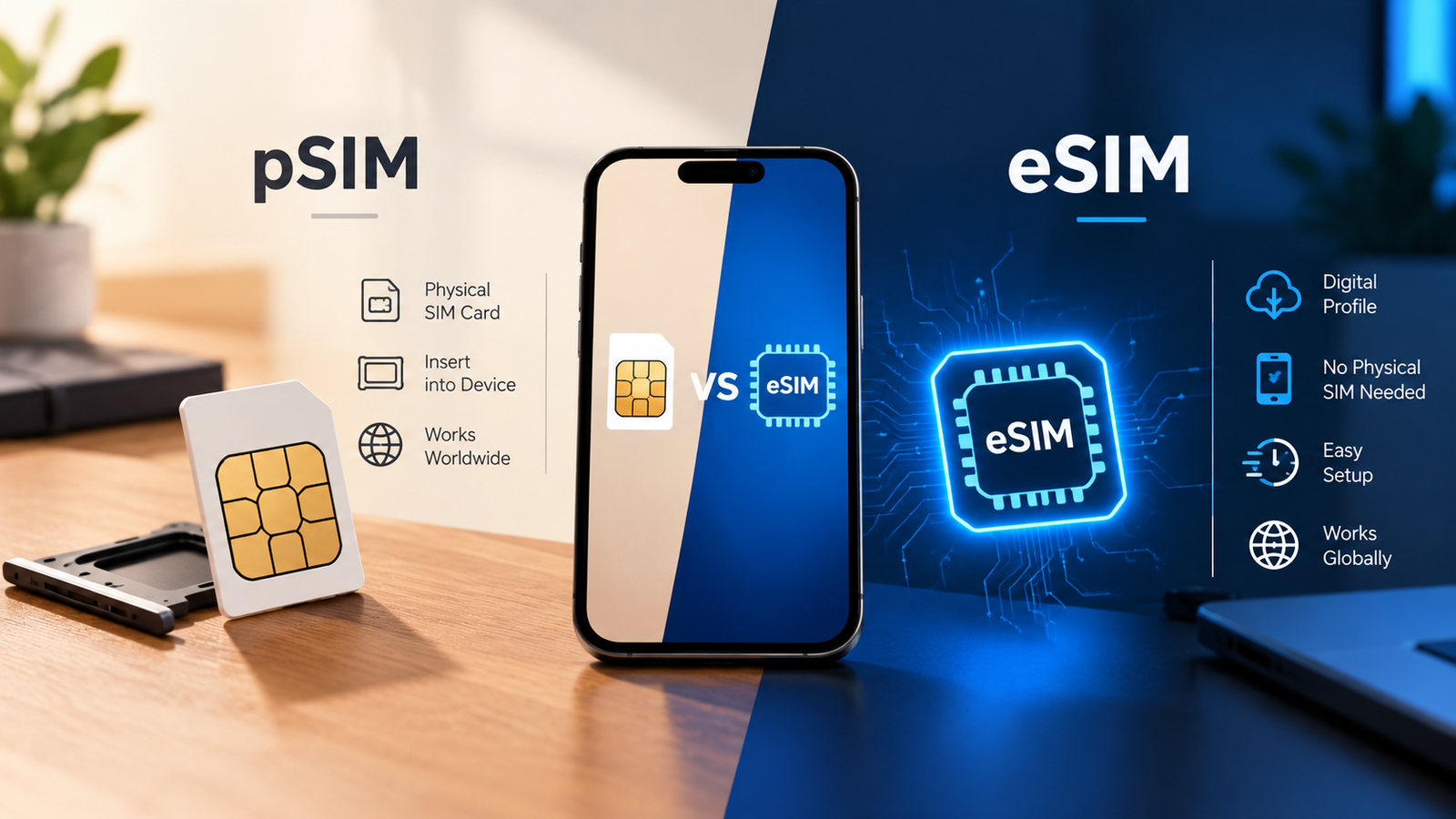
“pSIM” simply stands for physical SIM — the removable plastic card most people have used for decades, sized as either a standard, micro, or nano SIM depending on the device generation. Comparing it side-by-side with eSIM makes the practical differences easy to see.
Feature | pSIM (Physical SIM) | eSIM (Embedded SIM) |
Form | Removable plastic card, several possible sizes | Built-in chip, not removable |
Activation | Insert card manually into a tray | Scan a QR code or enter activation details digitally |
Switching carriers | Requires a new physical card, often mailed | Can often switch by downloading a new profile in minutes |
Multiple plans | Requires multiple physical cards or a dual-SIM tray | Can store several profiles on one chip |
Risk of loss/damage | Card can be lost, bent, or damaged during removal | No physical piece to lose or damage |
Device compatibility | Supported by virtually all phones, including older models | Only supported on newer devices with the embedded chip |
Travel convenience | May need to buy or swap a local SIM abroad | Can often add a local data plan digitally before or during travel |
Water/dust resistance | Tray opening is a potential entry point | No tray needed, can support tighter sealing |
Device resale/transfer | Easy — pull the card and reinsert in a new phone | Requires a new profile download on the new device |
When a pSIM Still Makes Sense
Physical SIMs aren’t obsolete, and there are real situations where they’re still the better fit. If you have an older phone that predates eSIM support, need to swap a single SIM between multiple basic devices (like an older backup phone), or your region’s mobile infrastructure still leans heavily on physical cards and retail SIM sales, a pSIM remains a perfectly practical option. Traditional SIMs are also universally compatible — there’s no risk of your specific device not supporting the format, which matters if you’re buying a very budget-focused or older handset.
When an eSIM Makes More Sense
If you have a newer phone, travel internationally on a regular basis, want to run two numbers on one device without juggling SIM ejector tools, or simply like the convenience of activating service without a trip to a store or a shipping wait, an eSIM is generally the more modern, flexible choice. It’s also a strong fit if you frequently switch between prepaid plans or providers, since you avoid the cost and hassle of new physical SIM kits each time.
Using Both Together
Many current smartphones now support both formats simultaneously, letting you use a physical SIM and an eSIM at the same time. A common real-world example: keeping your primary number on a physical SIM from your regular carrier while adding a data-only eSIM plan just for the duration of a trip abroad, so you get local data rates without touching your main line at all. This dual setup is one of the most popular reasons people adopt eSIM technology even if they aren’t ready to give up physical SIMs entirely.
Frequently Asked Questions
1. Can I switch from a physical SIM to an eSIM without losing my number?
Yes. In most cases, you can port your existing number over when you activate an eSIM, the same way you would when swapping a physical SIM with a new carrier. Your carrier will guide you through confirming your account details, and in many cases your old account number and a transfer PIN, before the switch goes through. Your number typically stays active on your old SIM until the new eSIM profile is confirmed and activated, so there’s minimal downtime.
2. Do all new phones come with eSIM?
Not universally. While eSIM adoption is increasing every year across flagship and mid-range devices, older models and certain budget devices still rely solely on physical SIM trays. Some regions and carrier markets have also been slower to widely support eSIM than others. It’s always worth checking your specific model’s spec sheet, or using the *#06# trick above, before assuming compatibility.
3. What happens if I get a new phone — do I need a new eSIM?
Yes, typically. Since the eSIM profile is cryptographically tied to the specific device’s embedded chip and EID number, it doesn’t just move over automatically like pulling a physical card out of an old phone. You’ll usually need to activate a fresh eSIM profile on your new phone, either through a carrier-provided transfer tool or by contacting customer support for a new QR code. Many carriers make this a quick self-service process through their app or website, often completed in under ten minutes.
4. Can I have two eSIMs active at the same time?
Most eSIM-capable phones can store multiple profiles, though many can only run one or two active at once alongside a physical SIM, depending on the specific device’s hardware limitations. Some newer phones support running two eSIM profiles simultaneously with no physical SIM at all. Check your specific phone model’s dual-SIM capabilities for exact limits before assuming full flexibility.
5. Is there an extra cost for eSIM activation?
This varies by carrier. Some providers activate eSIMs free of charge as a way to encourage the more efficient digital process, while others may charge a small activation fee similar to what you’d pay for a physical SIM kit. It’s worth confirming pricing details with your specific carrier, including Simple Mobile if that’s the provider you’re considering, before activating.