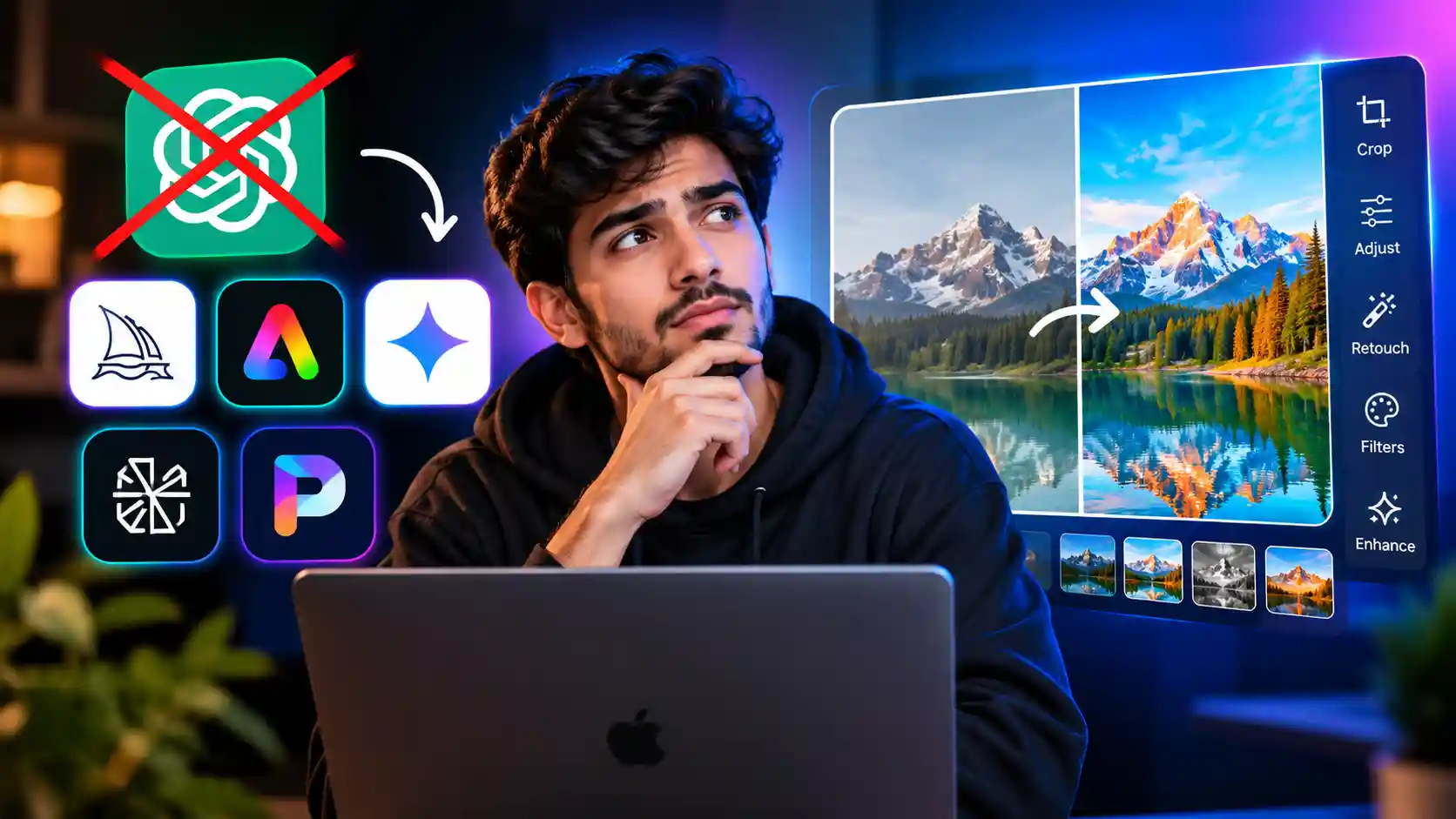
Editing photos used to mean learning layers, masks, and a dozen confusing sliders. Now, thanks to a new wave of AI tools, you can just type what you want changed — “remove the background,” “make the sky look like sunset,” “turn this sketch into a photo” — and watch it happen in seconds. If you’ve been using ChatGPT for basic image tweaks and found it limiting, you’re not alone. A lot of people are searching for a solid ChatGPT alternative for image edit that goes further, edits faster, and doesn’t box them into a chat window.
This guide walks through what these tools actually do, why 2026 has made AI image editing genuinely approachable for beginners, and how “prompt edit” technology is changing the way ordinary people touch up photos. By the end, you’ll know exactly what to look for in a tool, how to get started, and which mistakes to avoid.
What Is a ChatGPT Alternative for AI Image Editing?
ChatGPT can generate and lightly edit images through its built-in tools, but it wasn’t originally built as a dedicated photo editor. It’s a conversational assistant that happens to have image capabilities bolted on. A dedicated AI image editing alternative, on the other hand, is built specifically around visual editing — with tools designed for precision retouching, background swaps, style transfers, upscaling, and object removal.
These platforms typically fall into a few categories:
- Prompt-based editors that let you describe a change in plain language and apply it directly to an uploaded photo
- Hybrid editors that combine traditional tools (crop, brush, layers) with AI-assisted features
- All-in-one creative suites that handle both image generation and editing in a single workspace
How These Tools Differ from ChatGPT’s Native Image Features
The biggest difference comes down to control and consistency. ChatGPT’s image tools are useful for quick, one-off edits, but they can struggle with maintaining the exact composition of your original photo, especially when you want to change just one small detail without disturbing everything else. Dedicated image-editing AI tools are usually trained specifically to preserve unedited areas of a photo while precisely applying changes only where you ask. That distinction matters a lot once you’re doing anything beyond casual experimentation — product photos, portraits, marketing graphics, or anything where accuracy counts.
Is AI Image Editing Easy for Beginners in 2026?
This is probably the question on most people’s minds, and the honest answer is: yes, more than ever. A few years ago, AI editing tools were powerful but clunky, often requiring an understanding of prompt engineering or technical settings most casual users didn’t have patience for. That’s changed significantly.
In 2026, most leading platforms have simplified their interfaces around one core idea: describe what you want in normal language, and let the model handle the technical execution. You don’t need to know what “inpainting” or “latent diffusion” means to use these tools effectively anymore. If you can type a sentence describing a change, you can use modern AI image editors.
What Changed to Make AI Editing Beginner-Friendly
A few developments pushed things forward:
- Better natural language understanding means tools now interpret casual, imprecise instructions accurately instead of requiring rigid prompt formulas.
- Non-destructive editing workflows let beginners experiment freely without fear of ruining their original image, since most platforms keep the source file intact.
- Real-time previews show the result before you commit, reducing the trial-and-error that used to frustrate new users.
- Mobile-first design has brought full editing capability to phones, where a huge share of casual photo editing actually happens.
If you tried AI image editing a couple of years ago and found it fiddly, it’s worth giving it another look. The gap between “professional tool” and “beginner tool” has mostly closed.
Understanding Prompt Edit: The New Way to Change Photos with Words
At the center of this shift is a feature often called prompt edit — the ability to modify an existing image by typing a description of the change rather than manually selecting tools, layers, or regions.
Instead of opening a brush tool to paint out a background object, you type something like “remove the trash can in the corner,” and the AI locates it, removes it, and fills in the space naturally. Instead of adjusting color curves to warm up a photo, you type “make this look like golden hour lighting,” and the tool applies a realistic lighting shift.
Prompt edit works because these models are trained to understand both the content of an image and the intent behind a written instruction, then translate that intent into a targeted visual change. It’s the difference between manually adjusting parts of a machine and simply telling the machine what outcome you want.
Examples of Effective Prompt Edits
Some of the most common and reliable prompt edits people use include:
- “Change the background to a plain white studio backdrop”
- “Remove the person in the background on the left”
- “Make the colors more vibrant, but keep the skin tones natural”
- “Turn this daytime photo into a nighttime scene”
- “Add soft rain and reflections on the pavement”
- “Replace my shirt with a navy blue blazer”
The key to a good prompt is being specific about what should change and, when relevant, what should stay the same. A prompt like “make it better” gives the AI almost nothing to work with, while “brighten the photo and reduce shadows under the eyes” gives it a clear, achievable target.
Top Features to Look for in a ChatGPT Alternative Image Editor
Not all AI editing tools are built the same way, and picking the right one depends on what you actually need. Here’s what separates a genuinely useful platform from one that just looks impressive in a demo video.
Precision Editing Without Full Re-Generation
The best tools let you make small, localized edits without regenerating the entire image from scratch. This preserves details you didn’t ask to change — like facial features, exact framing, or background elements you want to keep.
Multi-Turn Prompt Editing
Look for tools that support back-and-forth refinement. You should be able to say “make the sky bluer,” see the result, then follow up with “now soften the clouds a bit,” building on the previous edit rather than starting over each time.
Style and Reference Matching
Some platforms let you upload a reference image and ask the AI to match its lighting, color grade, or artistic style onto your own photo. This is especially useful for anyone maintaining a consistent visual brand across social posts.
Resolution and Export Quality
A common frustration with early AI tools was blurry or compressed output. Reliable platforms in 2026 support high-resolution exports suitable for printing, professional use, or large-format display, not just small web thumbnails.
Mobile and Browser Access
Since a lot of editing happens on the go, tools that work smoothly across both desktop and mobile browsers — without needing a separate app download — tend to fit more naturally into daily use.
Step-by-Step: How to Edit Images Using AI Prompts
If you’re new to this kind of editing, here’s a simple workflow that applies across most modern platforms.
- Upload your image. Most tools accept JPEG, PNG, or HEIC files directly from your device or cloud storage.
- Describe the change in plain language. Be specific about the object, area, or effect you want altered.
- Review the AI’s suggested edit. Most platforms generate a preview before finalizing changes.
- Refine with a follow-up prompt. If something’s slightly off, describe the correction rather than starting over.
- Export at your desired resolution. Choose the format and size appropriate for where the image will be used — social media, print, or a website.
This loop of describe, review, refine is what makes prompt-based editing so approachable. There’s no learning curve tied to software mechanics, just clear communication about the result you’re after.
Common Mistakes Beginners Make with AI Image Editing
Even with beginner-friendly tools, a few habits tend to trip people up early on.
Being too vague with prompts. Instructions like “fix this photo” leave too much open to interpretation. Naming the specific issue — lighting, background, an object to remove — produces far more accurate results.
Expecting one prompt to do everything. Complex edits usually work better broken into smaller steps rather than one massive instruction covering five different changes at once.
Ignoring resolution settings before exporting. It’s easy to forget to check output quality, only to end up with a pixelated image that looks fine on screen but poor once printed or enlarged.
Not saving original files separately. Even with non-destructive workflows, it’s good practice to keep a backup of the untouched original in case you want to start over from scratch later.
Overusing dramatic effects. AI tools can apply strong stylistic changes convincingly, but subtlety often produces more natural, usable results, especially for professional or personal photos meant to look authentic.
If you’re building out a broader toolkit for schoolwork, side projects, or content creation, it’s worth checking our guide on the Best Free AI Tools for Students in 2026 for more options beyond just image editing.
Frequently Asked Questions
Q1. Is there a free ChatGPT alternative for image editing?
Yes, several platforms offer free tiers with basic prompt-editing features, usually with limits on resolution, number of edits per month, or watermarking. Paid plans typically unlock higher-quality exports and more advanced editing controls.
Q2. Do I need any design experience to use prompt-based AI editors?
No. These tools are specifically designed so that clear, written instructions replace the need for manual design skills. Anyone comfortable describing what they want in a sentence can use them effectively.
Q3. How accurate are AI image edits compared to manual editing?
Modern tools are quite accurate for common edits like background changes, object removal, and lighting adjustments. Highly technical or pixel-precise work may still benefit from manual touch-ups afterward, but the gap has narrowed significantly.
Q4. Can these tools edit photos of real people convincingly?
Yes, though results vary by platform. The stronger tools preserve facial identity and proportions accurately during edits, while lower-quality tools can distort features, especially with dramatic changes.
Q5. Is prompt edit only for photos, or can it work with illustrations too?
Prompt editing works across photos, digital illustrations, and even scanned artwork, though the quality of results can depend on how the specific tool was trained.
[…] Design Functionality Evaluation Criteria: The Complete Guide to Building a Really Great Site Best ChatGPT Alternative for Image Editing in 2026: A Beginner’s Guide to Prompt Editing The Rise of AI Native Development Platforms: What They Are and Why They Matter From the […]
[…] you’re making images for these posts, our guide to the Best ChatGPT Alternative for Image Editing can help you create clean visuals […]