
Instagram gives users several privacy controls, but there is no single button that completely hides your followers and following lists from everyone. However, you can significantly control who can see your connections and what other people can access on your profile.
How to Hide Followers on Instagram
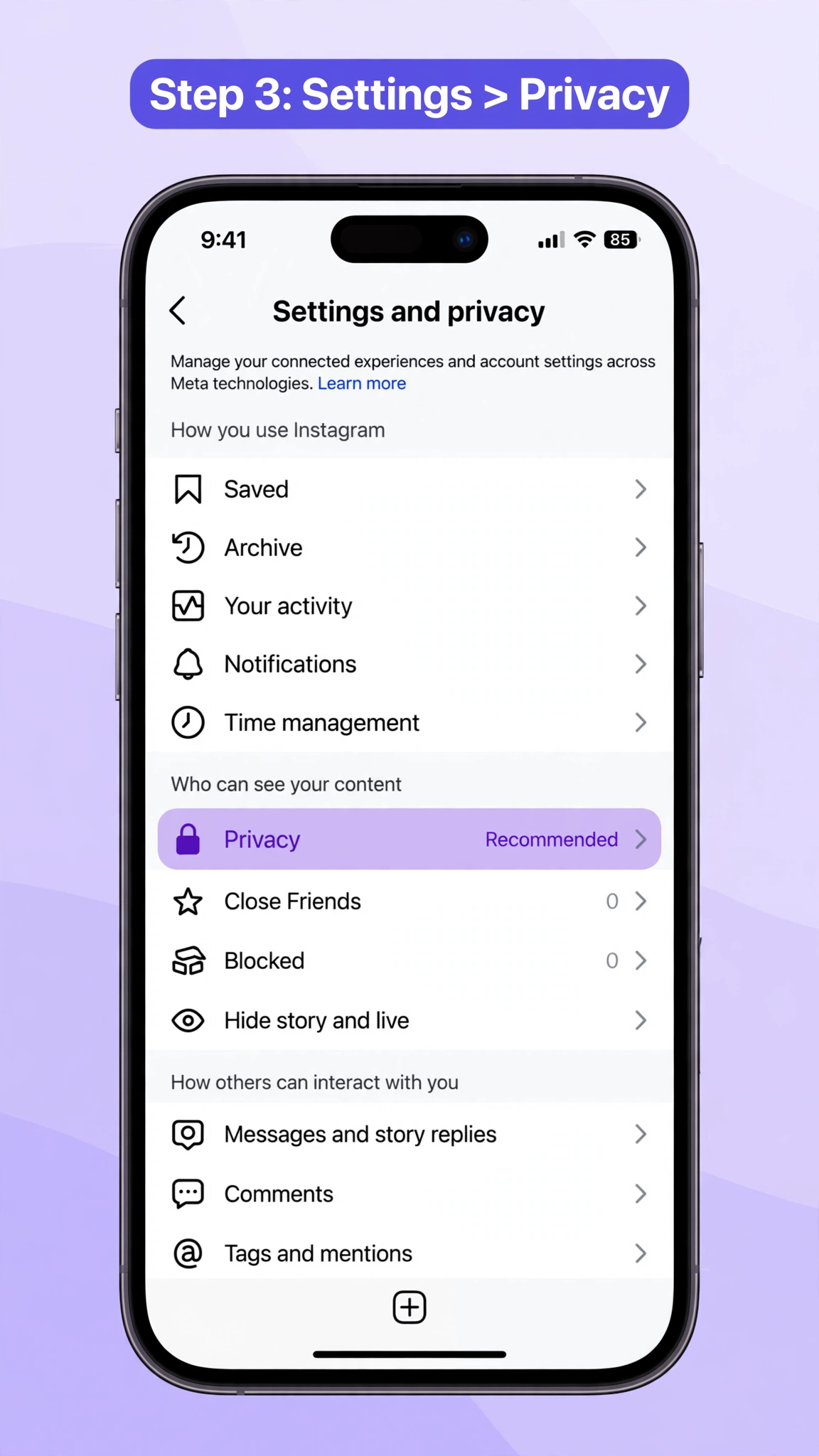
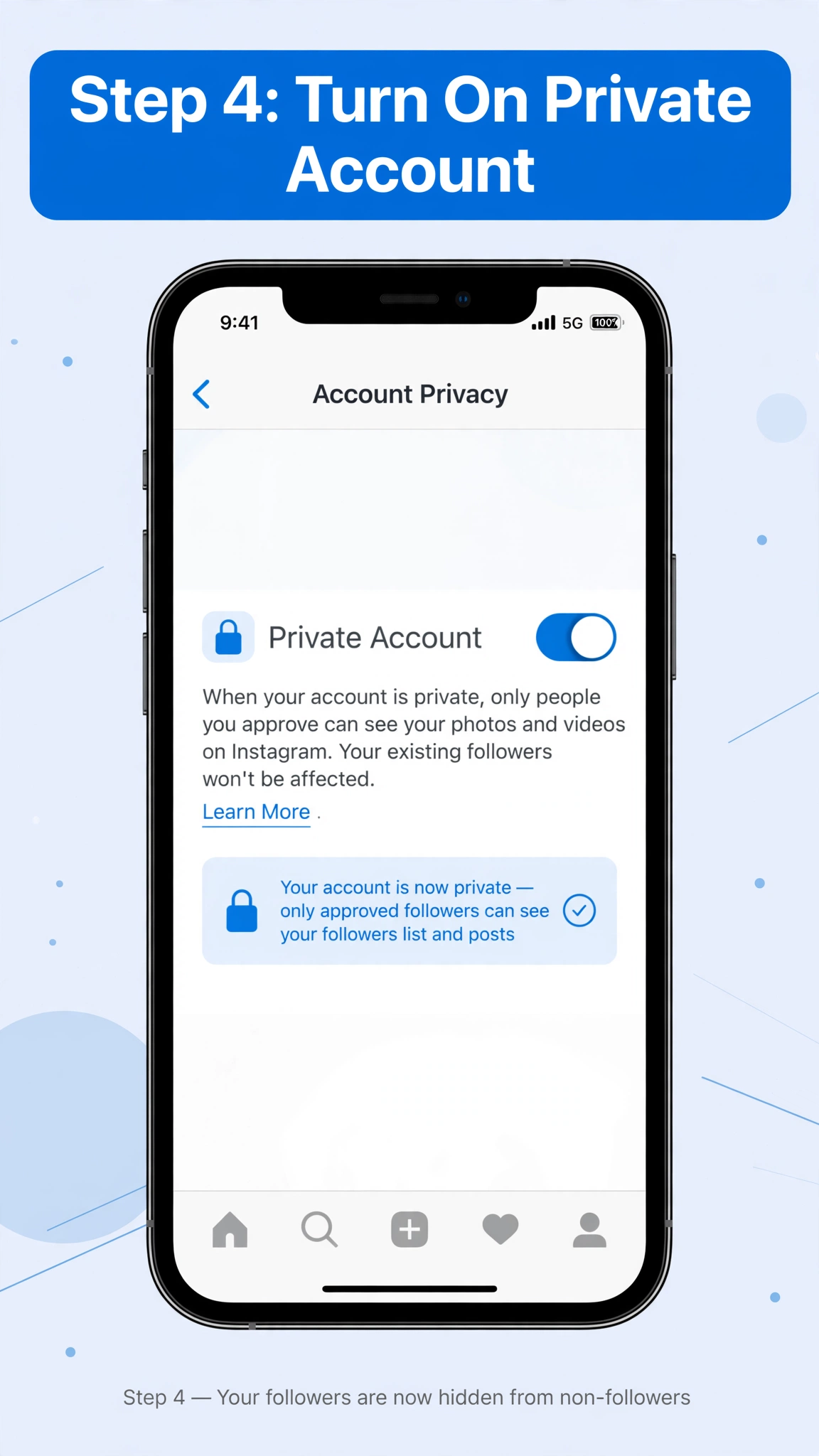
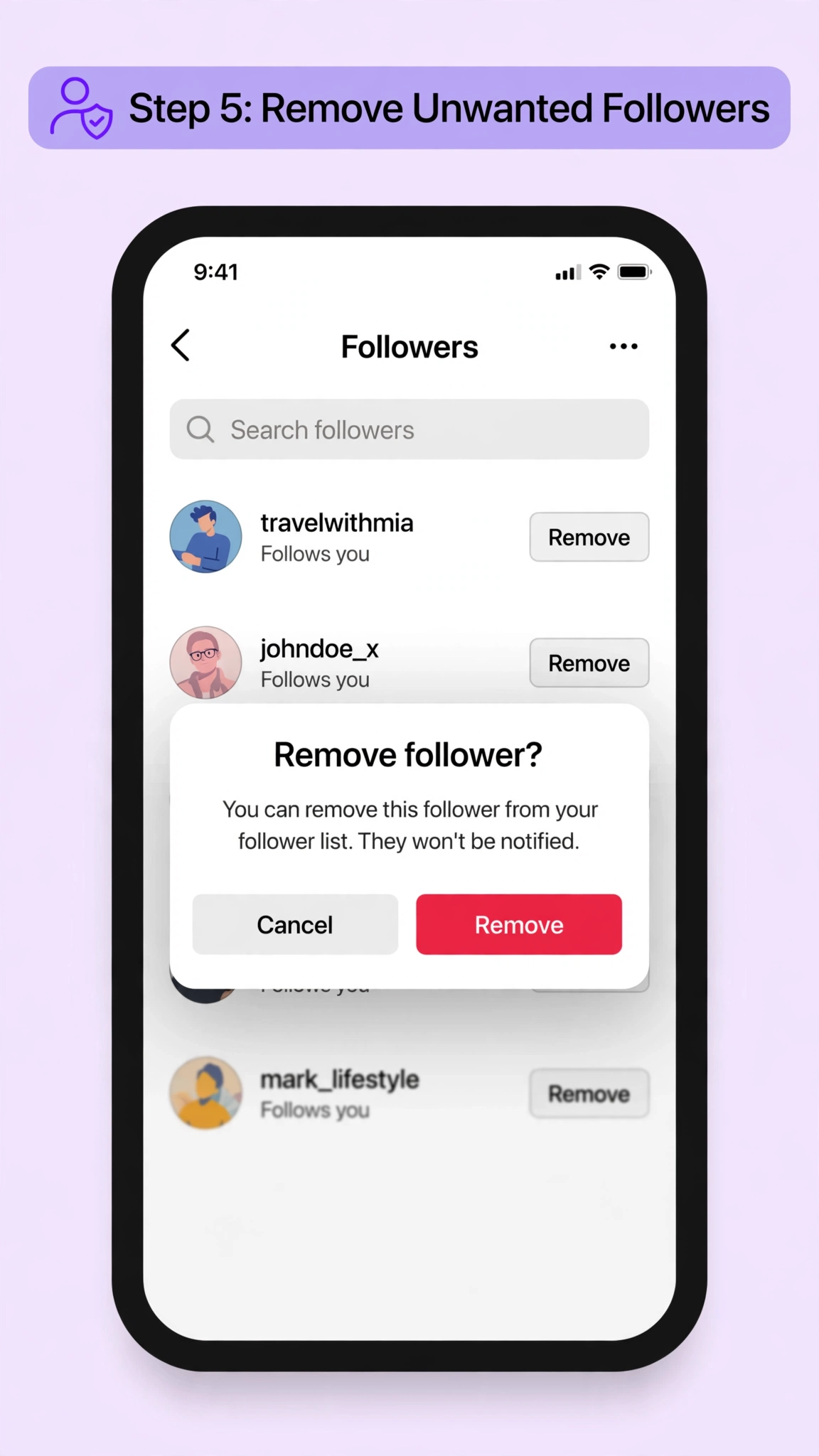
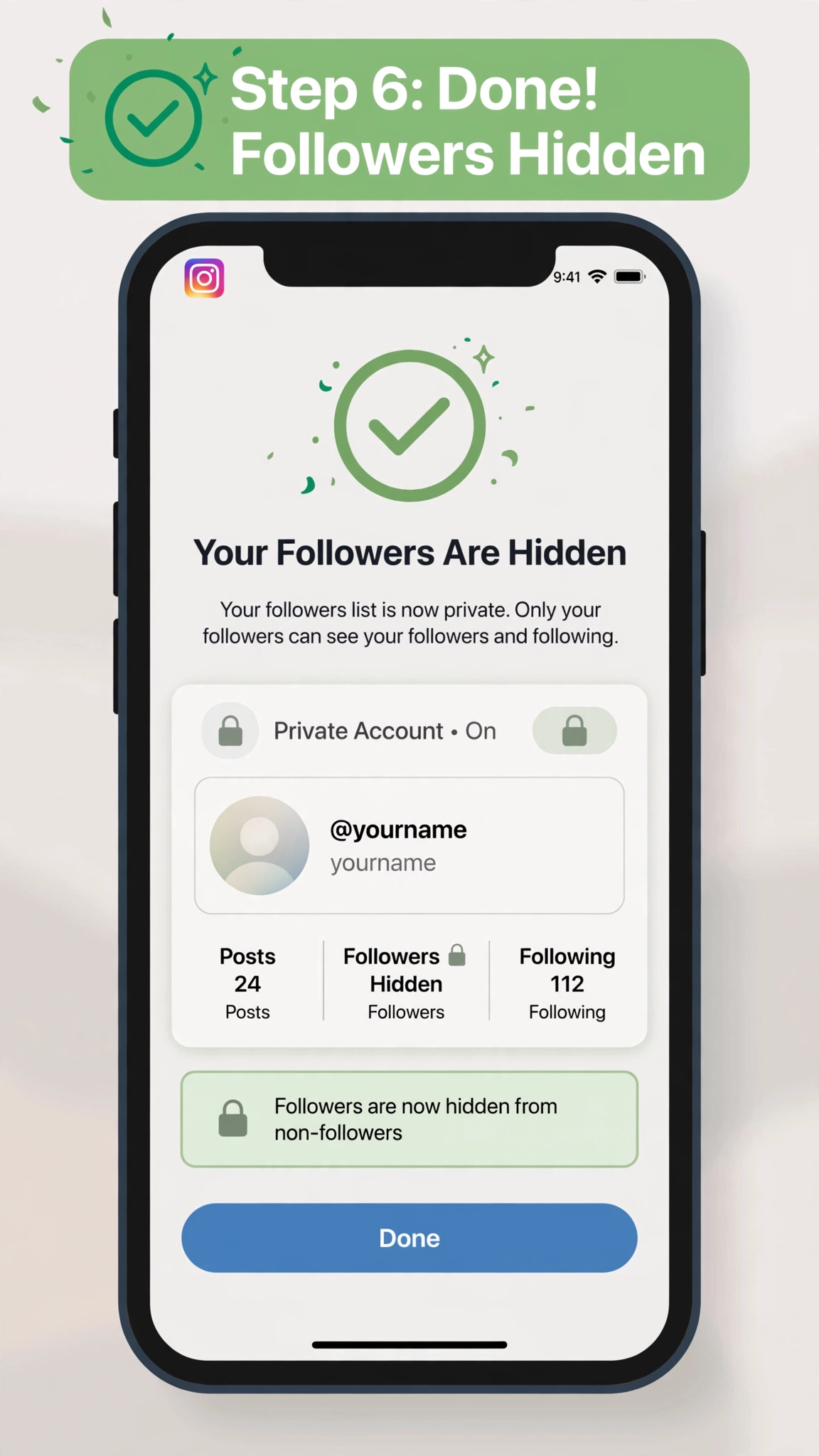
Steps to make your Instagram account private:
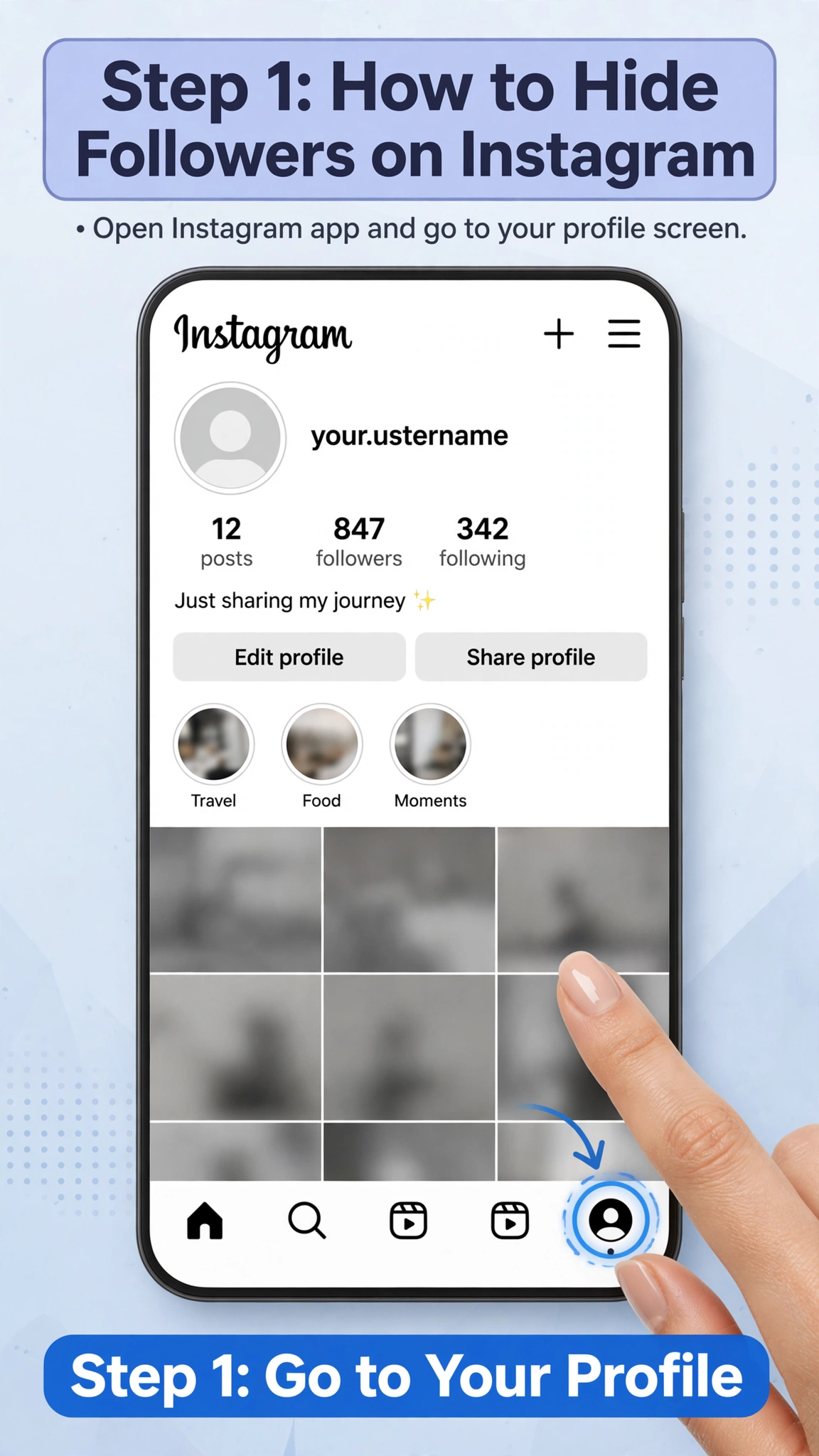
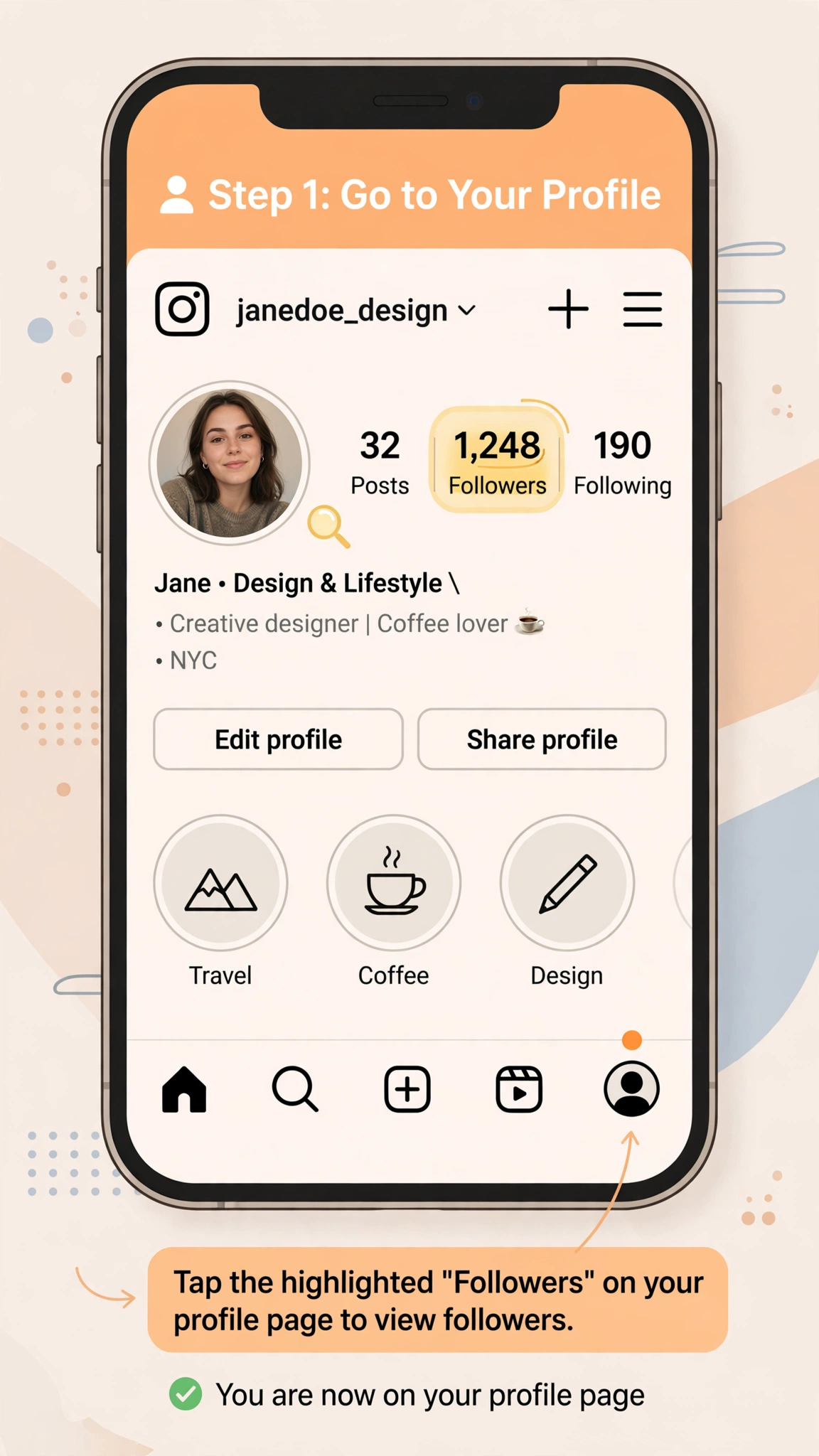
- Open Instagram and go to your profile.
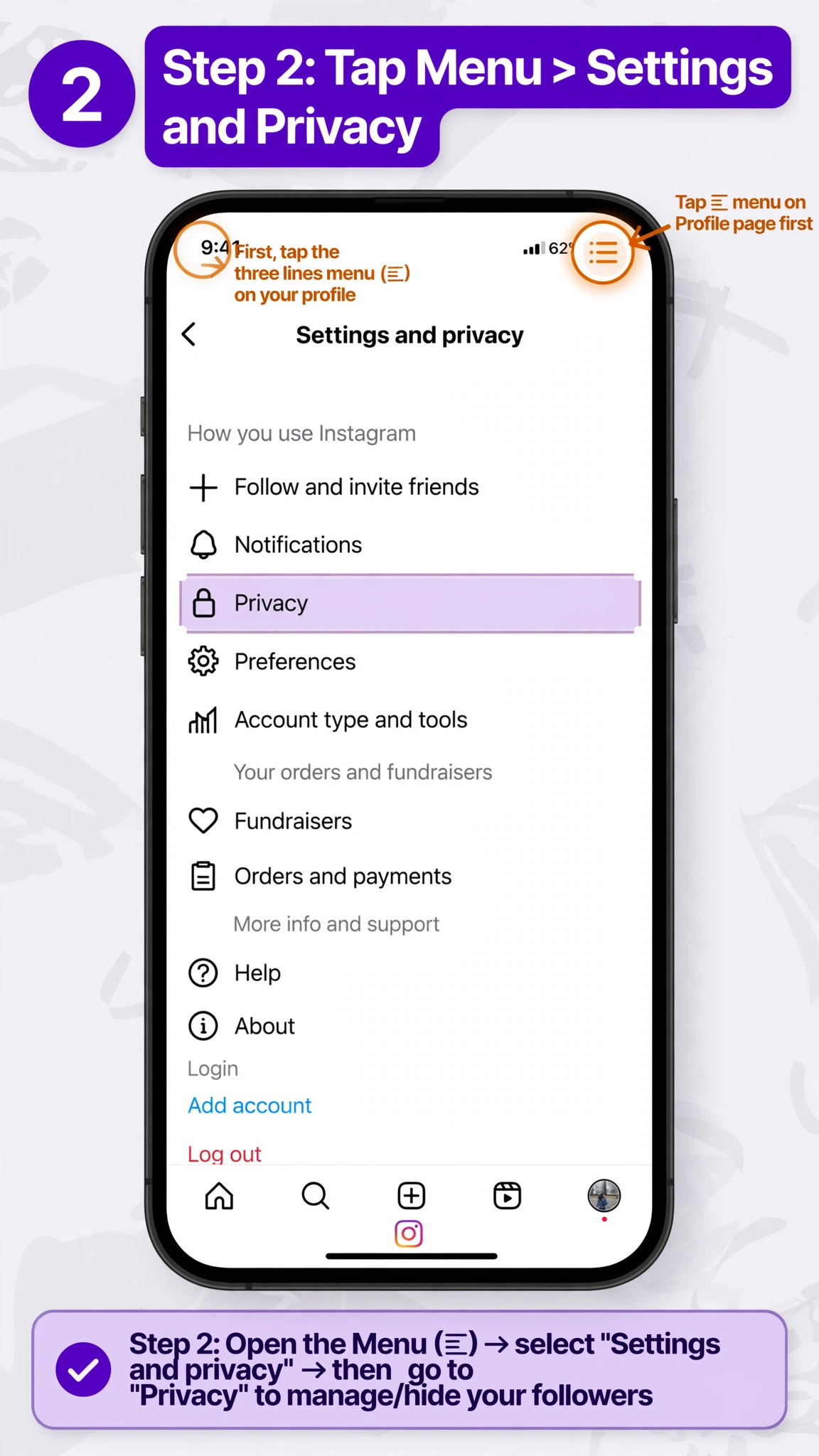
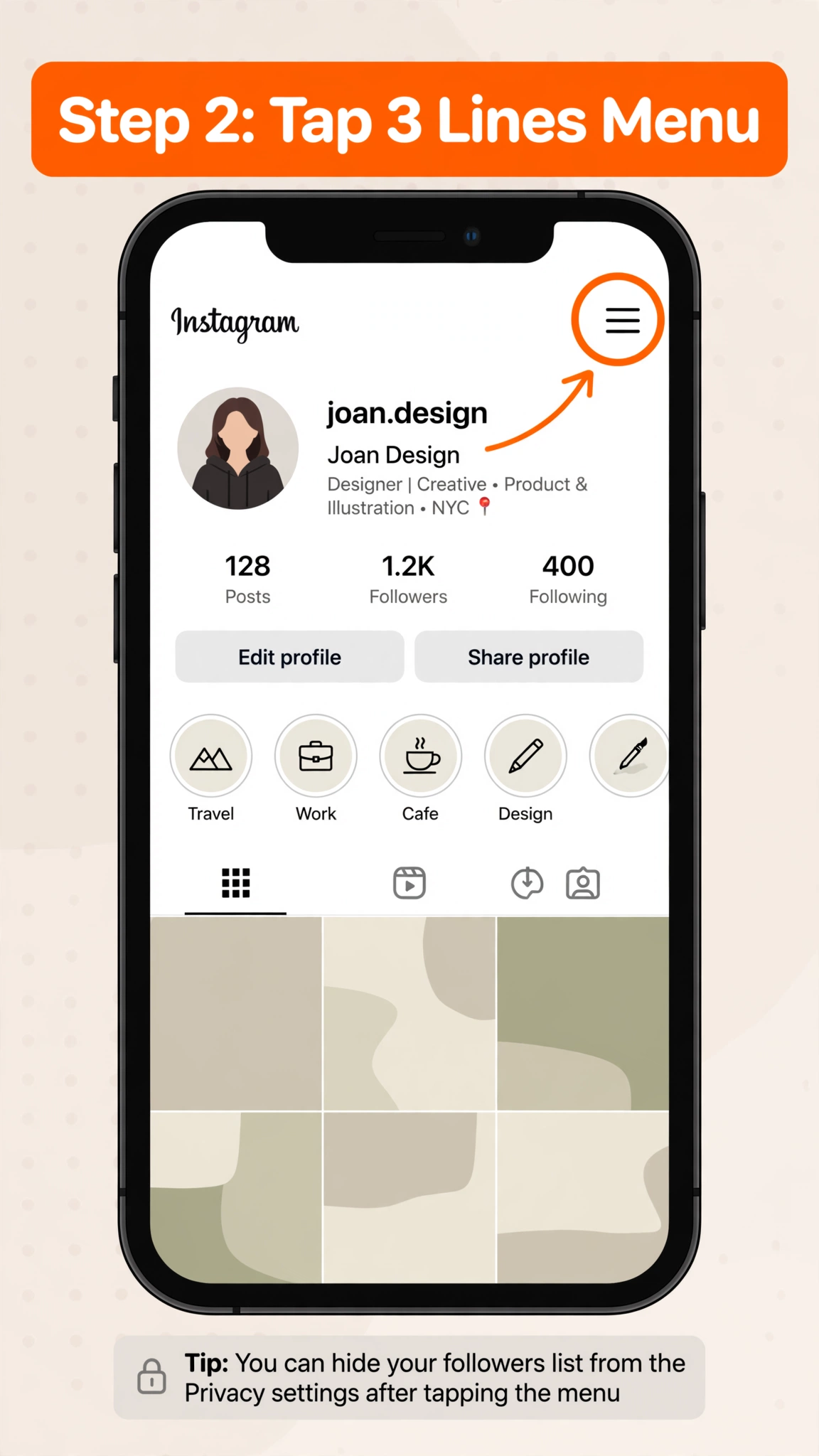
- Tap the three-line menu in the top-right corner.
- Go to Settings and activity.
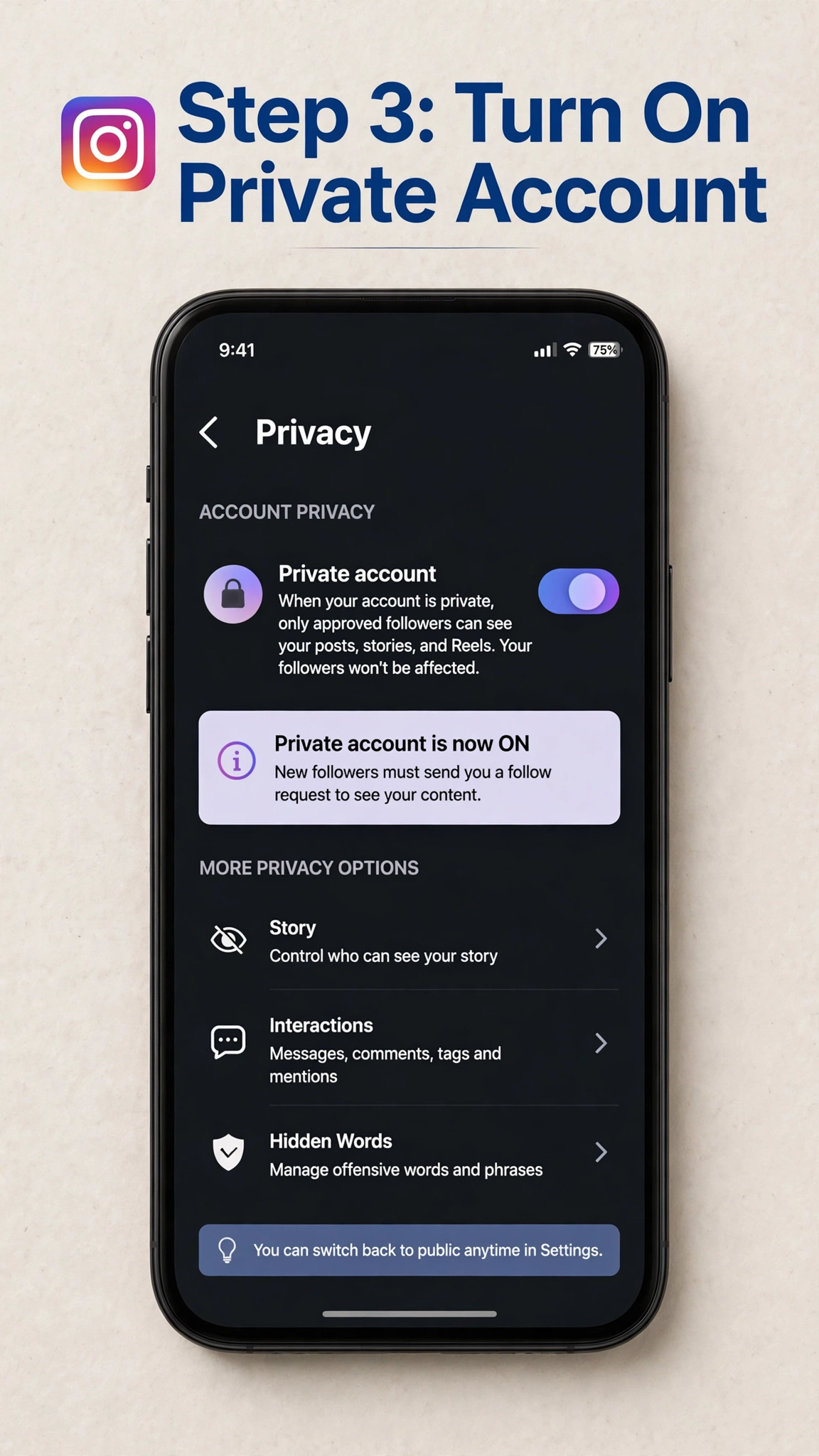
- Open Account privacy.
- Turn on Private account.
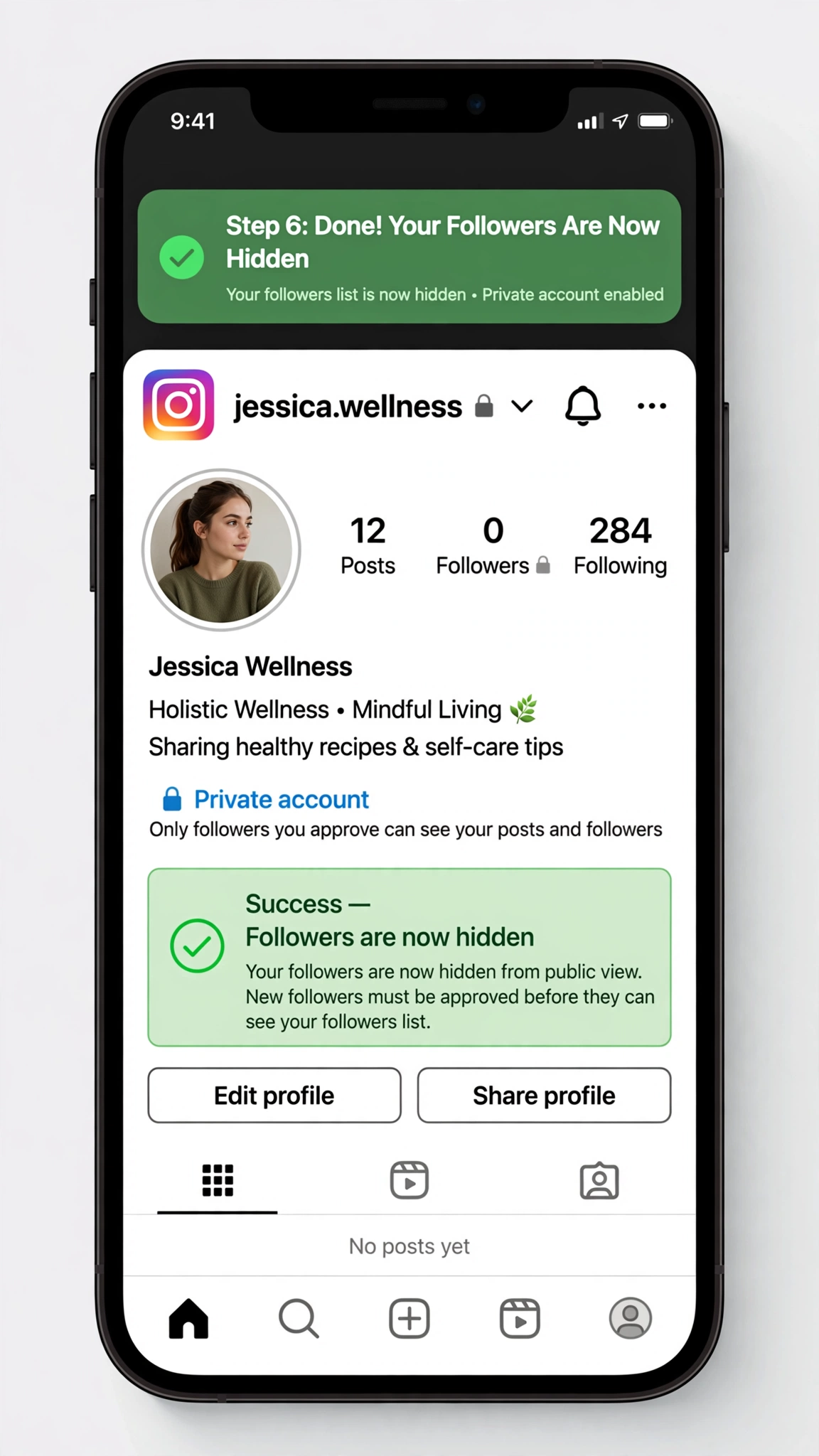
After switching to a private account, only people you approve as followers can see your posts, followers, and following lists.
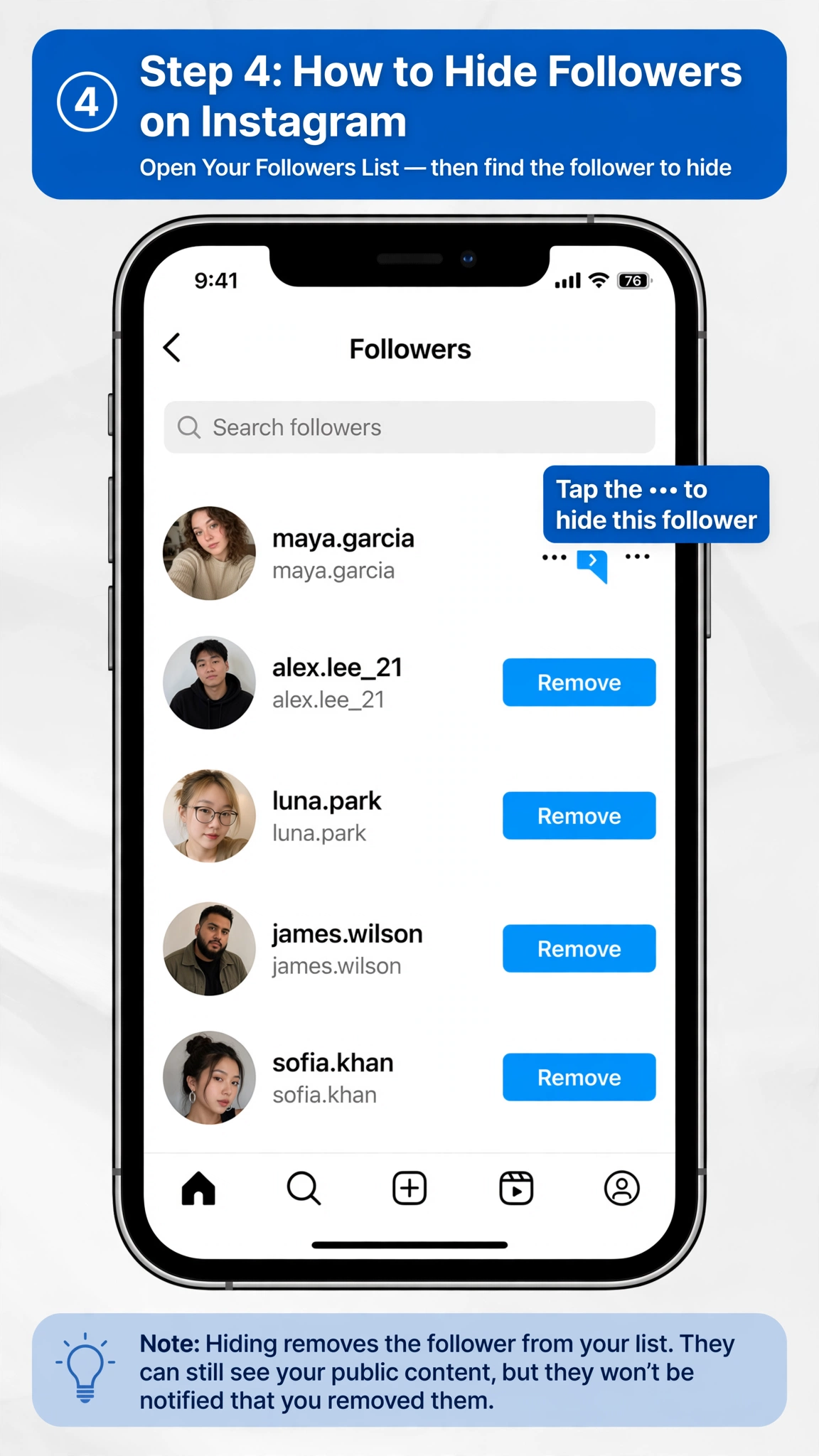
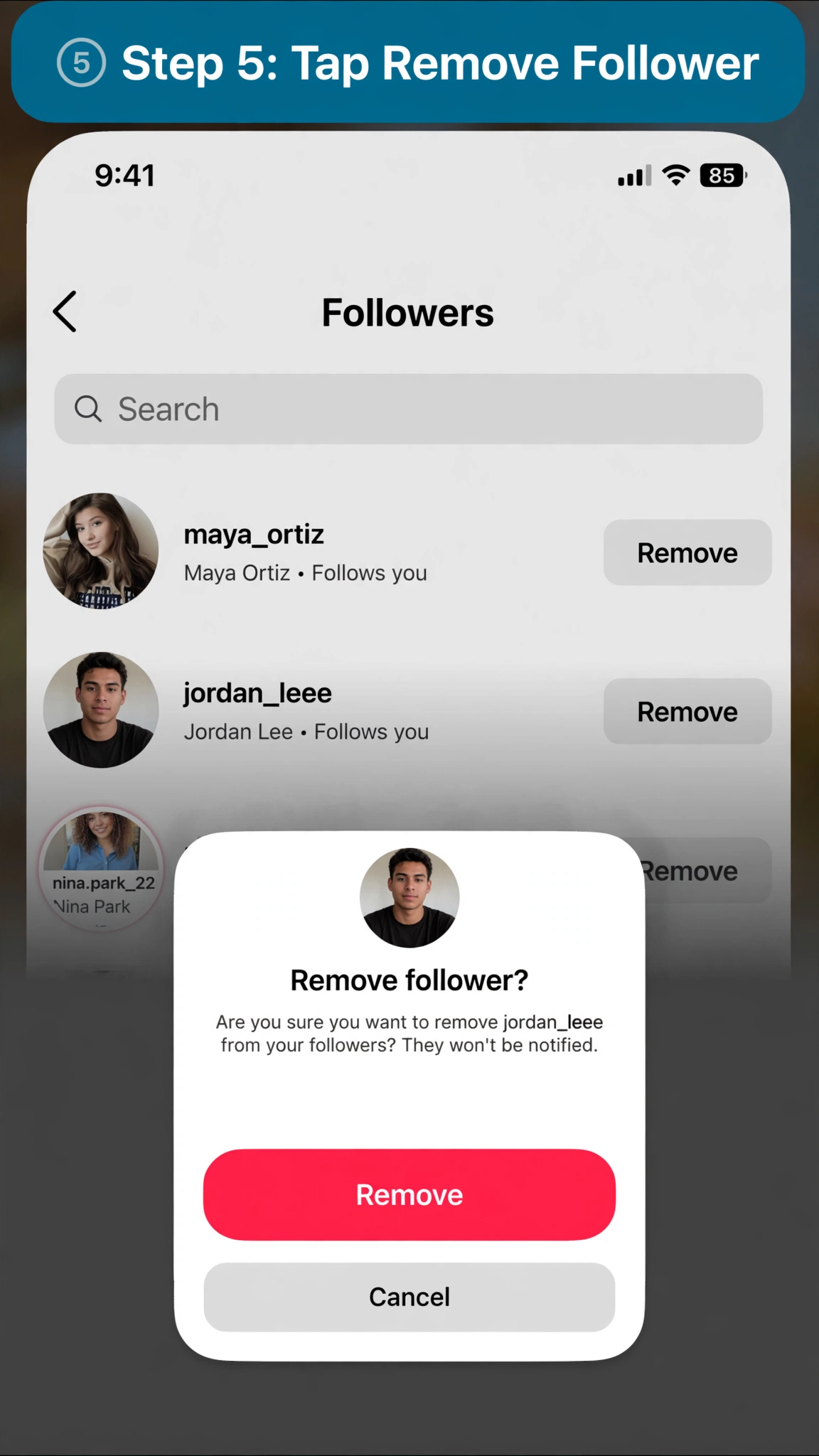
If there is a specific person you don’t want accessing your profile, you can also remove them as a follower or block them.
How to Hide Following List on Instagram
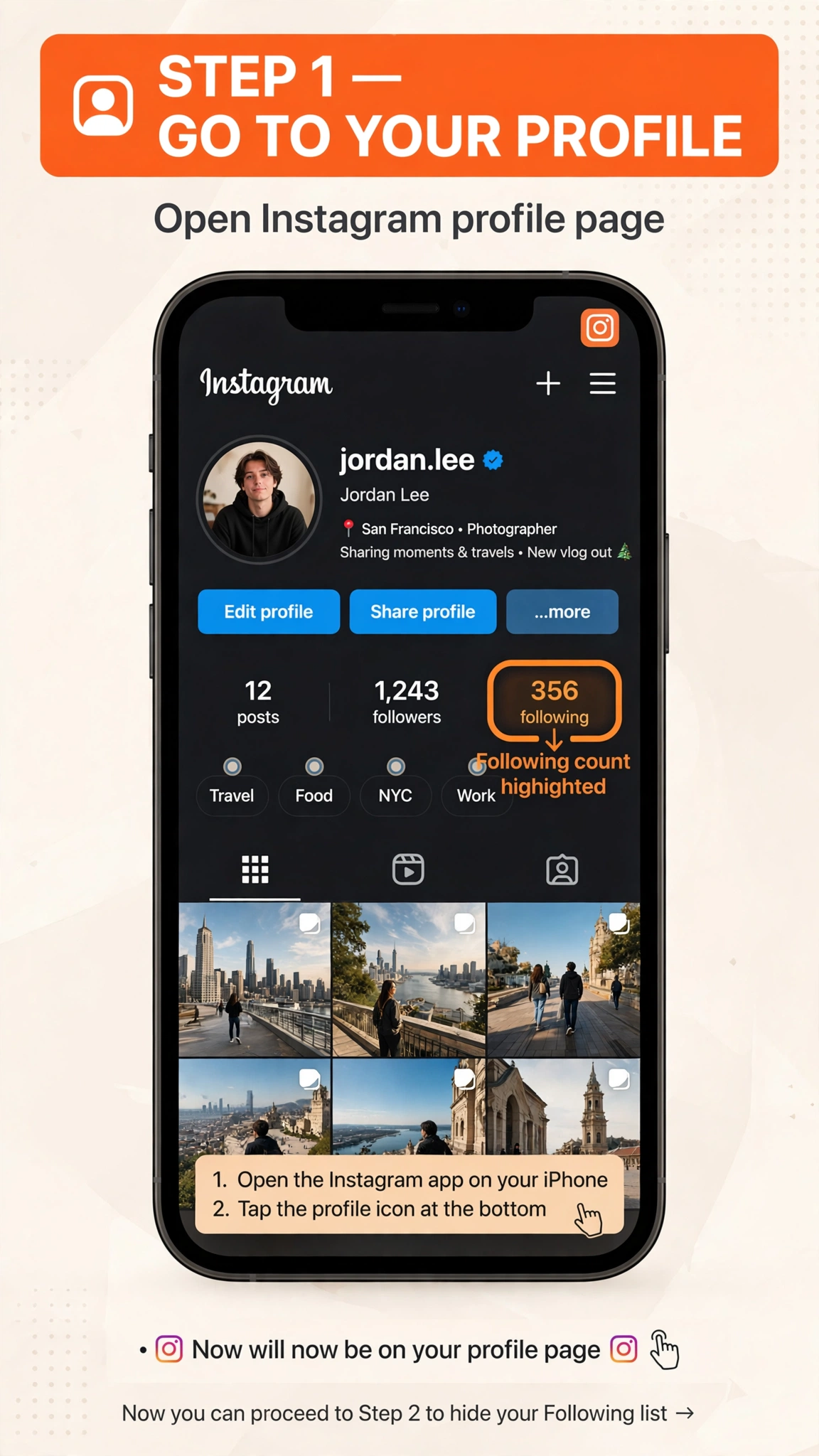
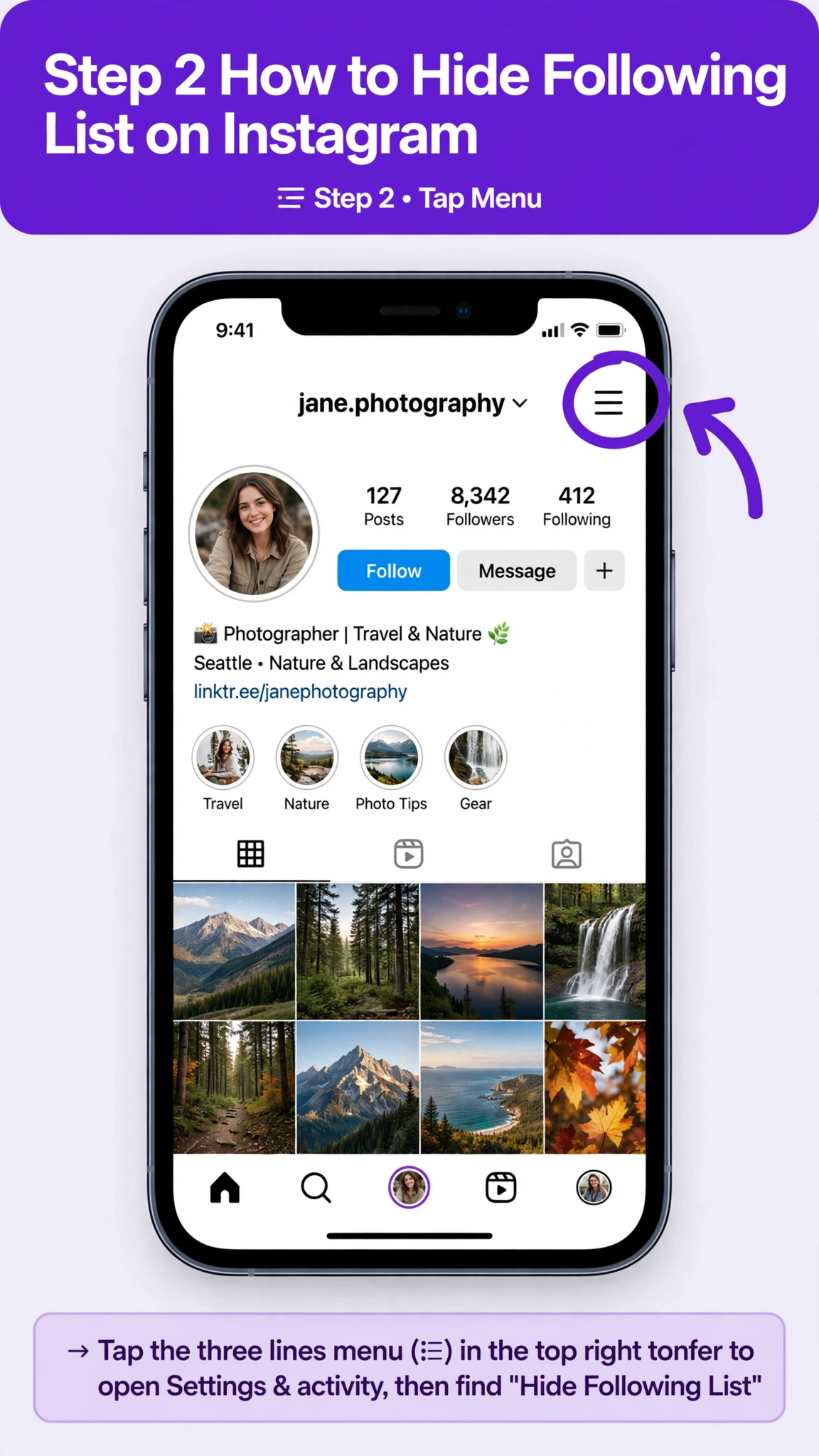
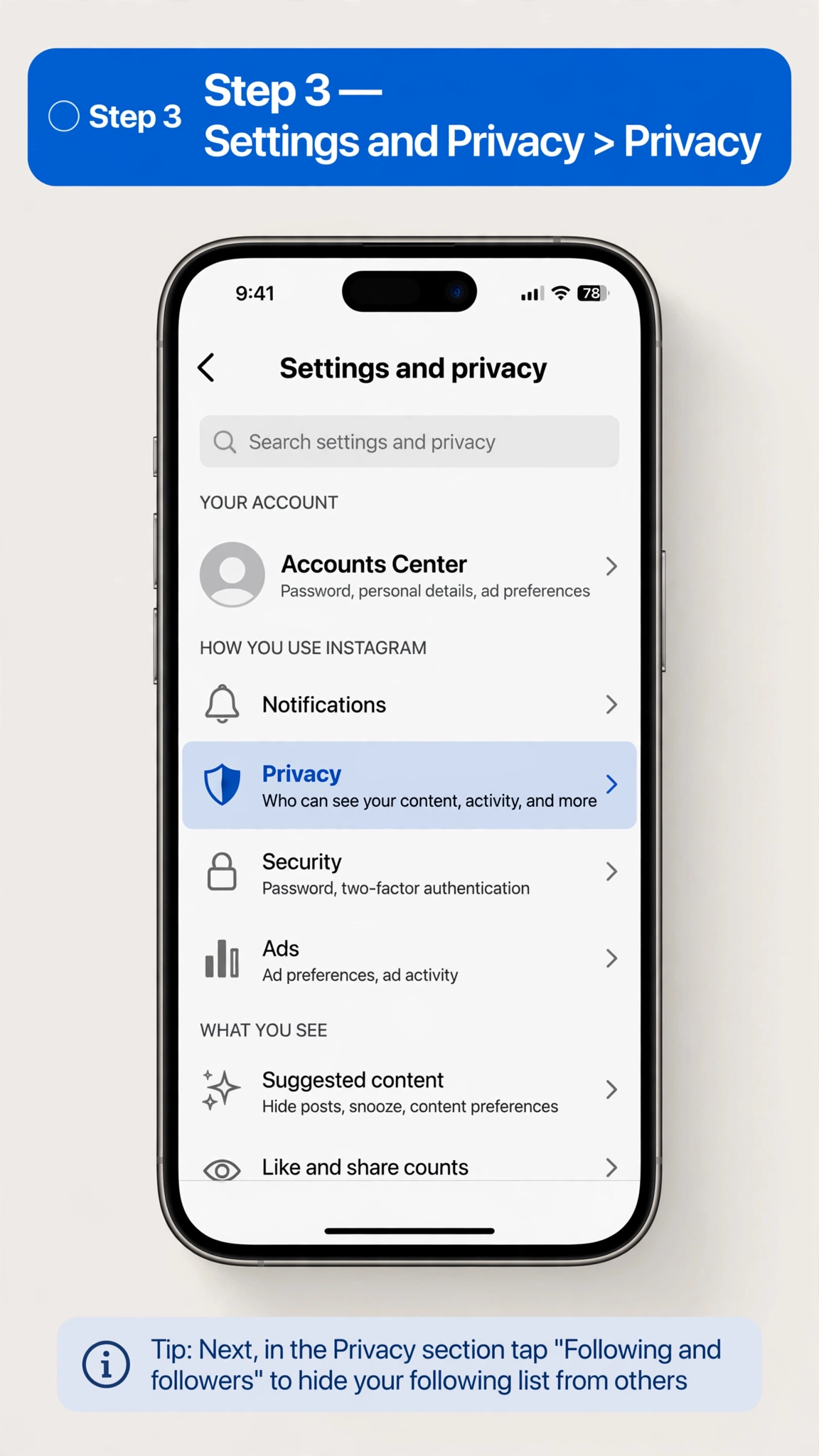
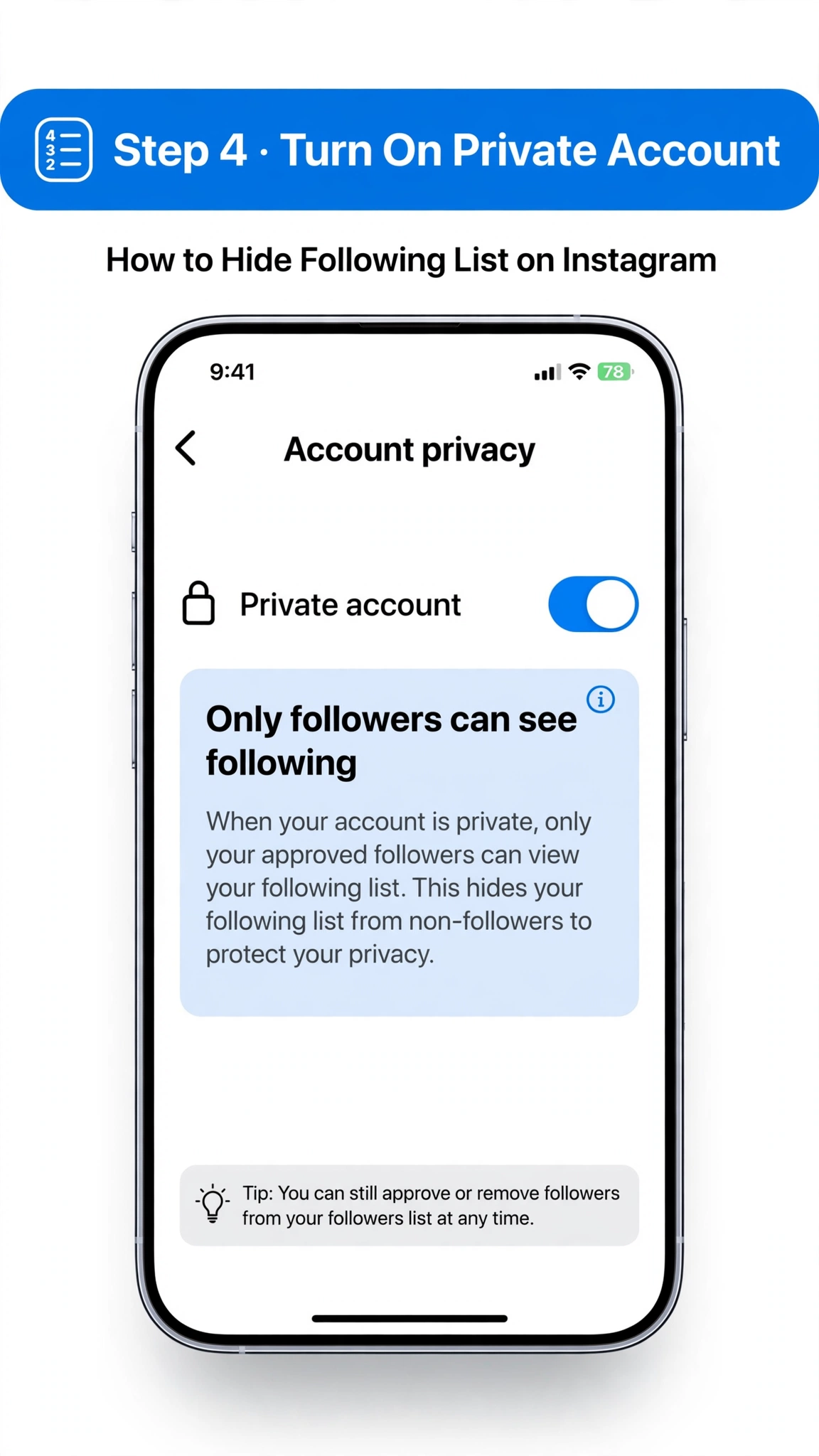
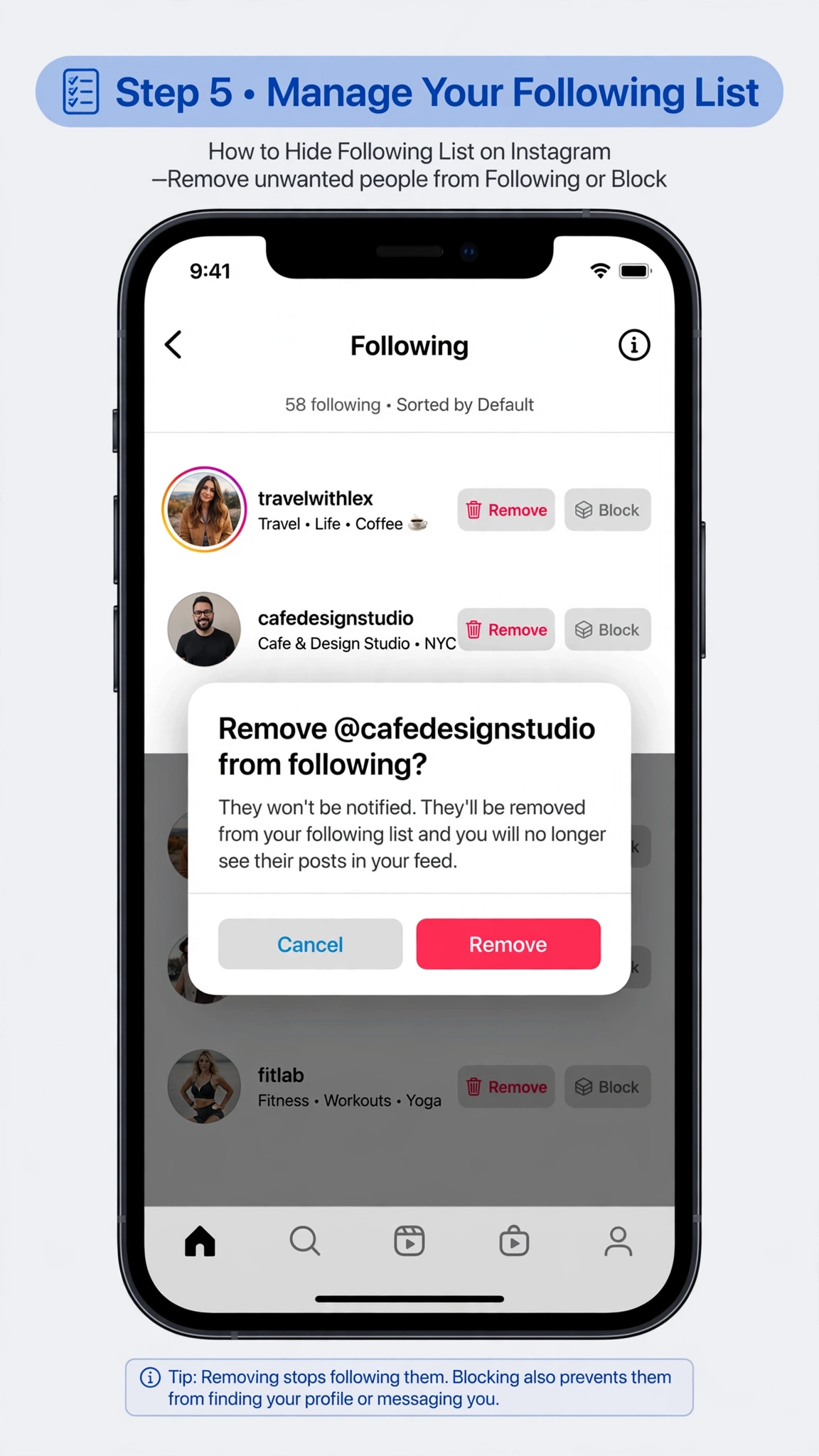
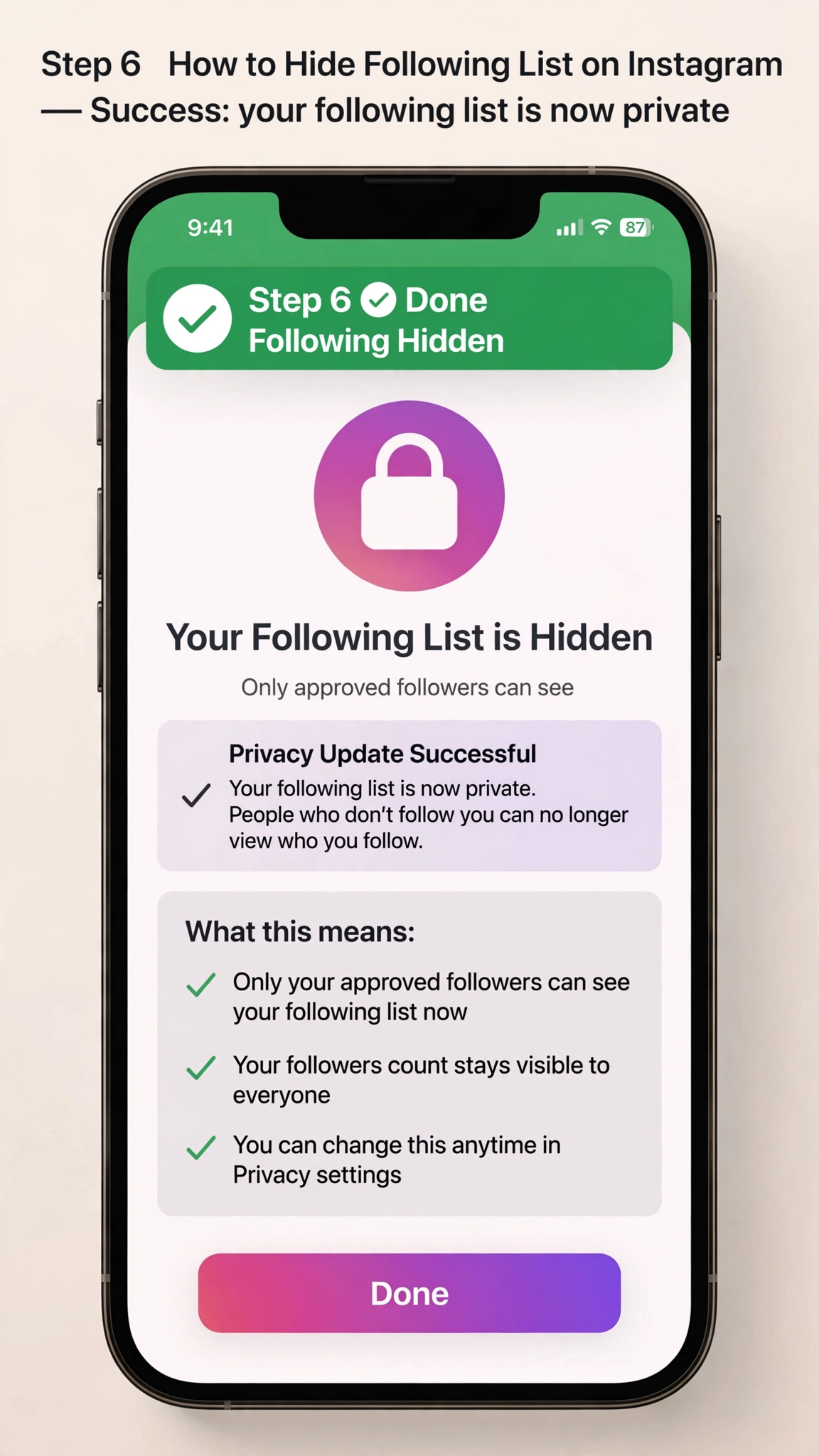
The same privacy principle applies when you want to know how to hide following list on Instagram.
Instagram does not currently provide a separate setting that lets you hide only your following list while keeping your account public. Making your account private is the main way to restrict access.
However, remember that approved followers can still generally see your followers and following information.
How to See Who Shared Your Instagram Post
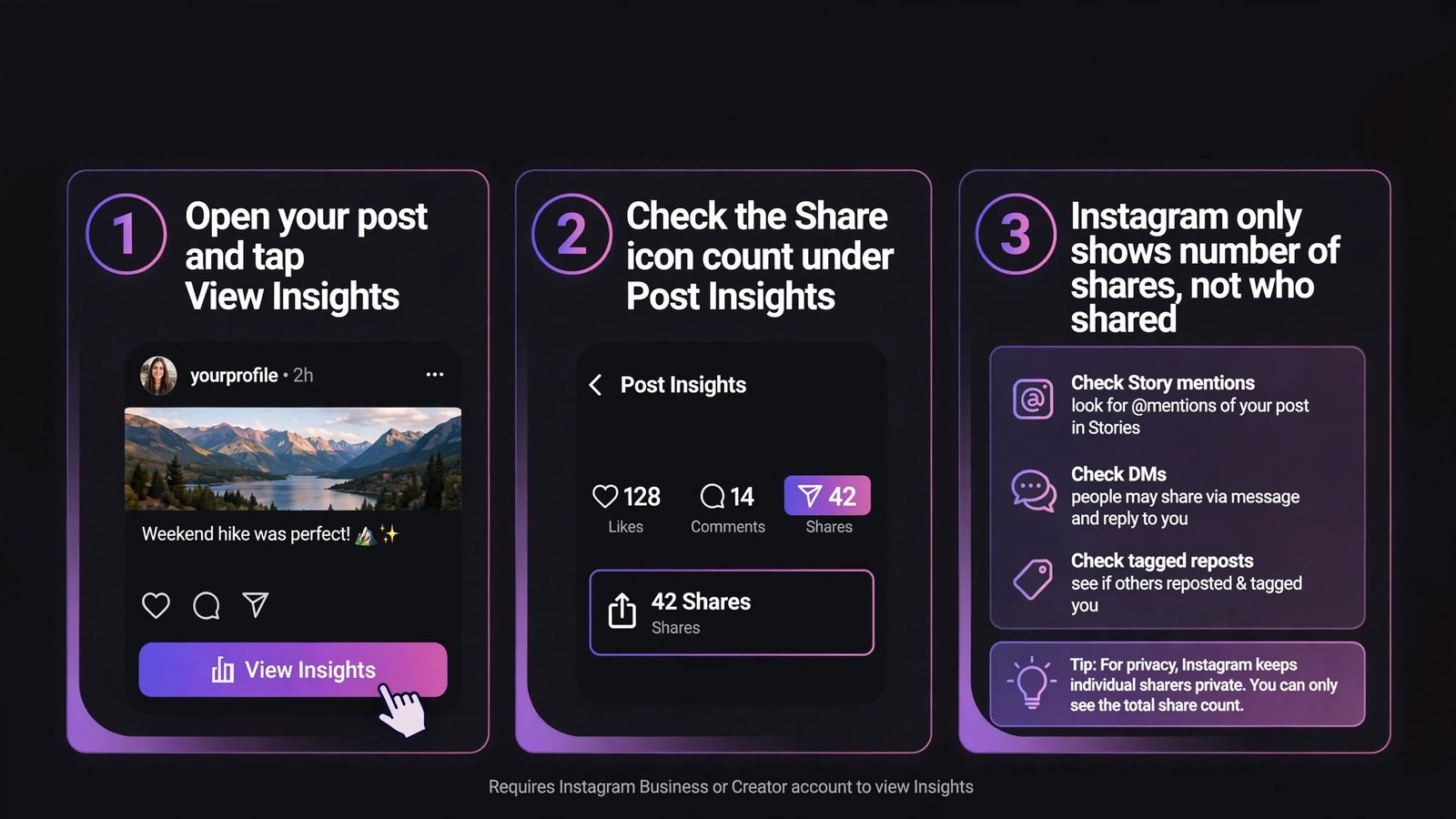
Another common Instagram privacy question is how to see who shared your Instagram post.
Instagram may show you sharing-related information through your post insights if you have a professional account. You can open a post, select View insights, and check the available engagement metrics.
However, Instagram generally does not provide a complete list of the individual accounts that shared your post, especially when the post was shared privately through Direct Messages.
So, if you see a number under shares, that does not necessarily mean Instagram will tell you exactly who shared it.
Can People See If You Screenshot Their Instagram Story?
A frequently searched question is: can people see if you screenshot their Instagram story?
For normal Instagram Stories, Instagram does not generally notify the person when you take a screenshot.
There is an important distinction, though. Instagram has used screenshot notifications for certain disappearing photos or videos sent through Direct Messages. Therefore, screenshot behavior can depend on the type of content you’re capturing.
Does Instagram Notify When You Screenshot a DM?
So, does Instagram notify when you screenshot a DM?
For ordinary text conversations and regular disappearing-chat content, Instagram’s behavior depends on the type of message and mode being used. Instagram can notify users about screenshots of certain disappearing photos or videos, while ordinary DM content does not generally trigger a screenshot notification.
Because Instagram can change privacy features over time, it’s a good idea to check the current behavior before assuming that every screenshot is private.
Frequently Asked Questions (FAQs)
Q1: Can you completely hide your follower list on a public Instagram account?
No. Instagram does not currently have a native “hide followers” or “hide following list” toggle switch for standard public profiles. If your profile is set to public, anyone on the platform can click on your profile header to view your full follower and following lists.
Q2: What is the most effective way to hide my Instagram followers from strangers?
The most effective method is switching your account to private. Once your account is private, only people you manually approve as followers can see who you follow and who follows you. Strangers who visit your profile will only see your follower count, but they won’t be able to click on it to see individual accounts.
Q3: How do I change my Instagram account privacy settings to private?
You can change your privacy settings by following these steps:
- Open the Instagram app and go to your Profile.
- Tap the three-line menu icon (≡) in the top-right corner.
- Scroll down and select Account privacy under the privacy section.
- Toggle on Private account and confirm your selection.
(Note: If you have a Business or Creator profile, you must switch back to a Personal Account first before making it private).
Q4: Can I hide my follower list from someone who already follows me?
You cannot selectively hide your follower list from a specific friend or follower while keeping them on your list. If they follow you, they can see your lists. To stop them from seeing your followers, you must either remove them as a follower (if your account is private) or block them completely.
Q5: Does "Restricting" someone on Instagram hide my follower list from them?
No. The Restrict feature only limits that person’s ability to see your active status, hides their direct messages, and hides their comments on your posts from the public. It does not stop them from viewing your follower or following lists. To cut off their access completely, you must use the Block tool instead.
Q6: Do Meta Verified accounts have an option to hide their following list?
Yes. Unlike regular public profiles, Meta Verified public profiles are given an exclusive premium setting that allows them to hide or limit the visibility of their followers and following lists directly through their verified account controls.