Starting a startup today is easier than ever from a technology perspective. Founders can use SaaS tools for almost everything—from managing projects and customers to handling payments, analytics, marketing, and AI-powered development.
But using too many tools can create another problem: higher costs, scattered data, and complicated workflows. The right approach is to build a simple SaaS stack where every tool has a clear purpose.
In this guide, we explore some of the top SaaS tools for startups in 2026, along with practical advice on choosing the right software and knowing when custom AI SaaS development makes more sense.
1. What Are SaaS Tools?
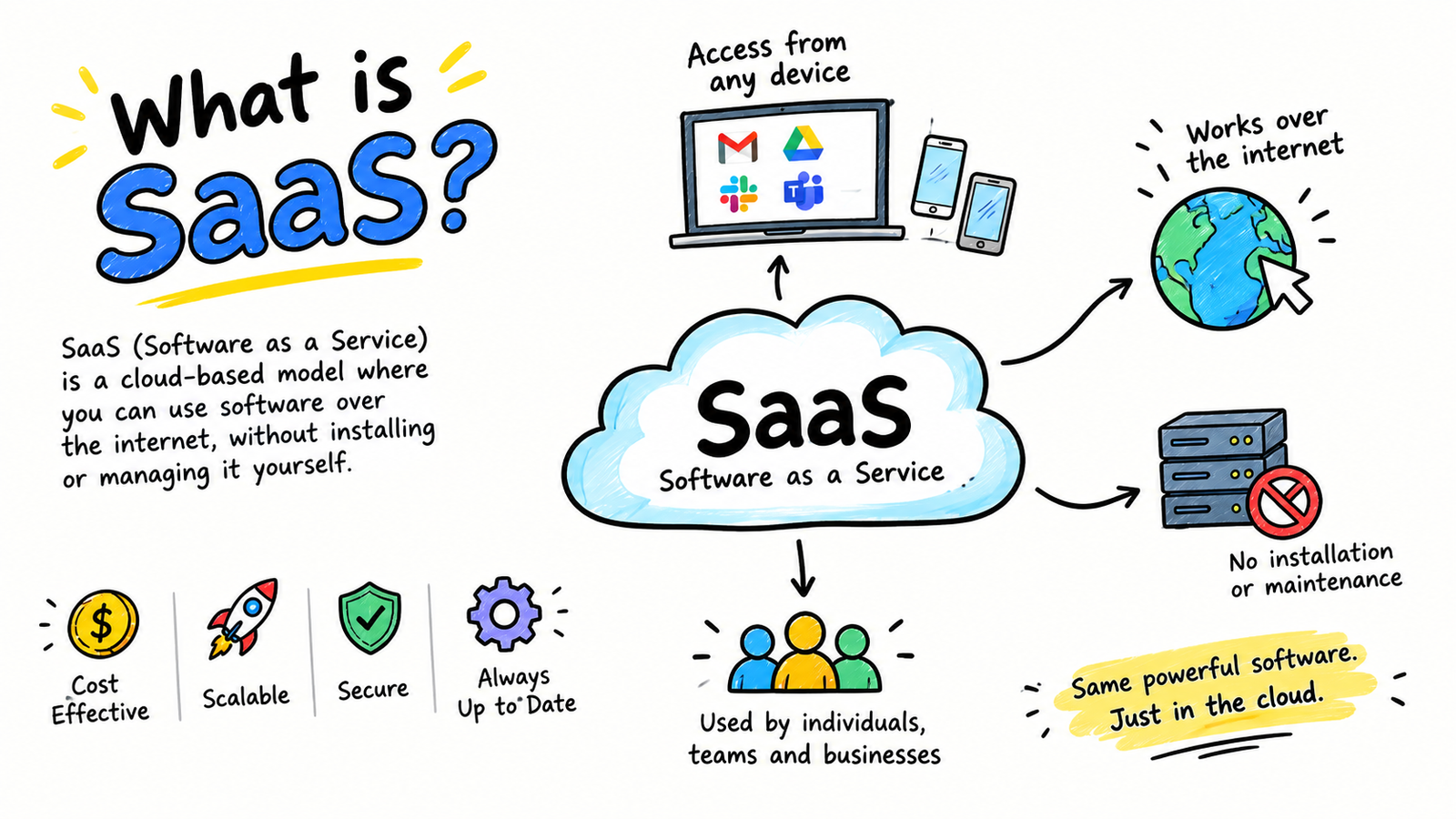
SaaS stands for Software as a Service. Instead of installing software on your own servers, you access it through the internet, usually through a subscription.
For startups, SaaS is useful because it reduces upfront technology costs and allows small teams to use professional software without building everything internally.
Common SaaS categories include:
- CRM and sales
- Project management
- Communication
- Product analytics
- Payments
- Marketing
- Customer support
- Automation
- AI development
- Accounting and finance
2. Best SaaS Tools for Startups
- Notion – Documentation and Team Knowledge
Notion can act as a central workspace for startup documentation, meeting notes, product plans, SOPs, content calendars, and internal knowledge.
Its biggest advantage is keeping important information in one place instead of spreading it across emails, messages, and separate documents.
Best for: Documentation, knowledge management, and lightweight project planning.
- Linear – Product and Engineering Management
For software startups, Linear is designed around product and engineering workflows. Teams can manage issues, projects, roadmaps, cycles, and development priorities.
It is particularly useful when a startup needs better communication between product and engineering teams.
Best for: SaaS and technology startups.
- HubSpot – CRM and Sales
A CRM helps startups organize leads, customers, sales conversations, and follow-ups.
HubSpot is a popular option because startups can begin with a CRM and expand into marketing, sales, and customer-service workflows as they grow.
Best for: B2B startups, sales teams, and customer management.
- GitHub + GitHub Copilot – Software Development
GitHub provides the foundation for code management and collaboration, while GitHub Copilot adds AI-assisted development capabilities.
AI coding tools can help developers write code, generate tests, explain existing code, debug problems, and speed up repetitive development tasks.
However, AI-generated code should still be reviewed by experienced developers, especially when dealing with authentication, payments, databases, and security.
Best for: Software startups and technical teams.
- Stripe – Payments and Billing
For subscription-based startups, payment infrastructure is a critical part of the business.
Stripe can support online payments and subscription-based business models. Startups should think about billing architecture early because pricing plans, trials, upgrades, cancellations, and failed payments become more complicated as the customer base grows.
Best for: SaaS companies, subscription businesses, and online products.
- PostHog – Product Analytics
Website traffic alone does not tell a SaaS company whether users are receiving value.
Product analytics can help startups understand activation, retention, feature usage, conversion funnels, and customer behavior.
The important thing is not collecting every possible metric. Startups should focus on the events that show whether users are successfully reaching the product’s core value.
Best for: Product-led SaaS and AI startups.
- Zapier or Make – Automation
Automation platforms connect different SaaS applications and reduce repetitive manual work.
For example:
New lead → CRM → notification → sales task → follow-up email
This can save considerable time as a startup grows.
However, startups should first simplify a workflow before automating it. Automating a complicated process does not necessarily make it better.
3. How Many SaaS Tools Does a Startup Really Need?
There is no perfect number.
A two-person startup may only need a handful of tools, while a growing company may require dozens.
The important question is not:
“Which SaaS tools are popular?”
Instead ask:
“Which business problem are we solving?”
Before purchasing a tool, consider:
- Does it solve a real problem?
- Does it integrate with existing software?
- Can the data be exported?
- Will pricing remain practical as the team grows?
- Who will manage the tool?
- Does it introduce another security risk?
A small number of connected tools is usually better than a large collection of disconnected applications.
4. SaaS Tool Sprawl: The Hidden Startup Problem
One issue that is rarely discussed enough is SaaS tool sprawl.
Imagine a startup using separate applications for CRM, customer support, analytics, email marketing, project management, and internal databases. If those systems do not communicate properly, employees may spend more time moving information between tools than actually working.
This creates hidden costs through:
- Duplicate data
- Manual processes
- Multiple subscriptions
- Training requirements
- Security permissions
- Difficult reporting
Therefore, integration should be considered alongside price when selecting startup SaaS tools.
5. When Should a Startup Build Custom SaaS?
Not every problem requires custom software.
If an existing SaaS platform solves a non-core business function effectively, buying it is usually faster and cheaper.
But custom development becomes attractive when the software itself is part of the startup’s competitive advantage.
For example, a startup developing a unique AI research platform may need technology that cannot be created simply by connecting several existing SaaS products.
A useful rule is:
Buy commodity software. Build technology that differentiates your business.
ols.
6. What Does an AI SaaS Development Company Do?
An AI SaaS development company specializes in creating cloud-based software products that use artificial intelligence as a core part of the application.
Depending on the project, this can involve:
- AI SaaS MVP development
- LLM integration
- AI agents
- RAG systems
- Custom AI workflows
- API integrations
- SaaS dashboards
- Subscription billing
- Cloud deployment
- Multi-tenant architecture
However, founders should not select a development company simply because it uses the word “AI.”
A good partner should understand both AI and SaaS architecture.
Important questions include:
- How will AI costs scale with users?
- How will inaccurate AI responses be controlled?
- How will customer data be protected?
- What happens if the AI model or API changes?
- How will the application be monitored after launch?
- Can the system scale without dramatically increasing costs?
These questions are often more important than the technology company’s marketing claims.
7. How AI Is Changing SaaS
Traditional SaaS generally waits for a user to perform an action.
AI-powered SaaS can increasingly understand a goal, retrieve information, use connected tools, and complete multiple steps.
For example:
Customer signs up → AI analyzes the customer → CRM is updated → onboarding is personalized → follow-up is created.
This shift toward AI-assisted and agent-based workflows is changing how startups think about software.
Instead of simply asking:
“Which tool should we use?”
founders increasingly need to ask:
“Which parts of our workflow should software perform automatically?”
FAQs
What are the best SaaS tools for startups in 2026?
Popular options include Notion, Linear, HubSpot, GitHub, GitHub Copilot, Stripe, PostHog, Zapier, Make, Figma, and Google Workspace. The right combination depends on the startup’s business model and stage.
How many SaaS tools should a startup use?
There is no fixed number. Startups should use the minimum number of tools required to operate efficiently and avoid unnecessary duplication.
When should a startup build custom SaaS?
Custom development makes sense when existing tools cannot solve an important problem or when the software itself provides a competitive advantage.
What is an AI SaaS development company?
An AI SaaS development company builds cloud-based software products that incorporate AI technologies such as LLMs, AI agents, RAG, automation, and intelligent workflows.
Is custom AI SaaS expensive?
It depends on the product’s complexity. AI applications can have ongoing costs from model usage, infrastructure, storage, APIs, and maintenance. Good architecture and careful AI model selection can help control these costs.
What should startups consider before choosing an AI SaaS development company?
Look at previous SaaS experience, AI expertise, security practices, scalability, API integration capabilities, development methodology, ongoing maintenance, and their ability to explain AI costs and limitations clearly.
[…] a deeper comparison of what’s worth paying for, see our roundup of Top SaaS Tools for Startups in 2026. It pairs well with this audit, since you’ll know exactly what gaps to […]